
Product Help
How to start a new chat or stop a response
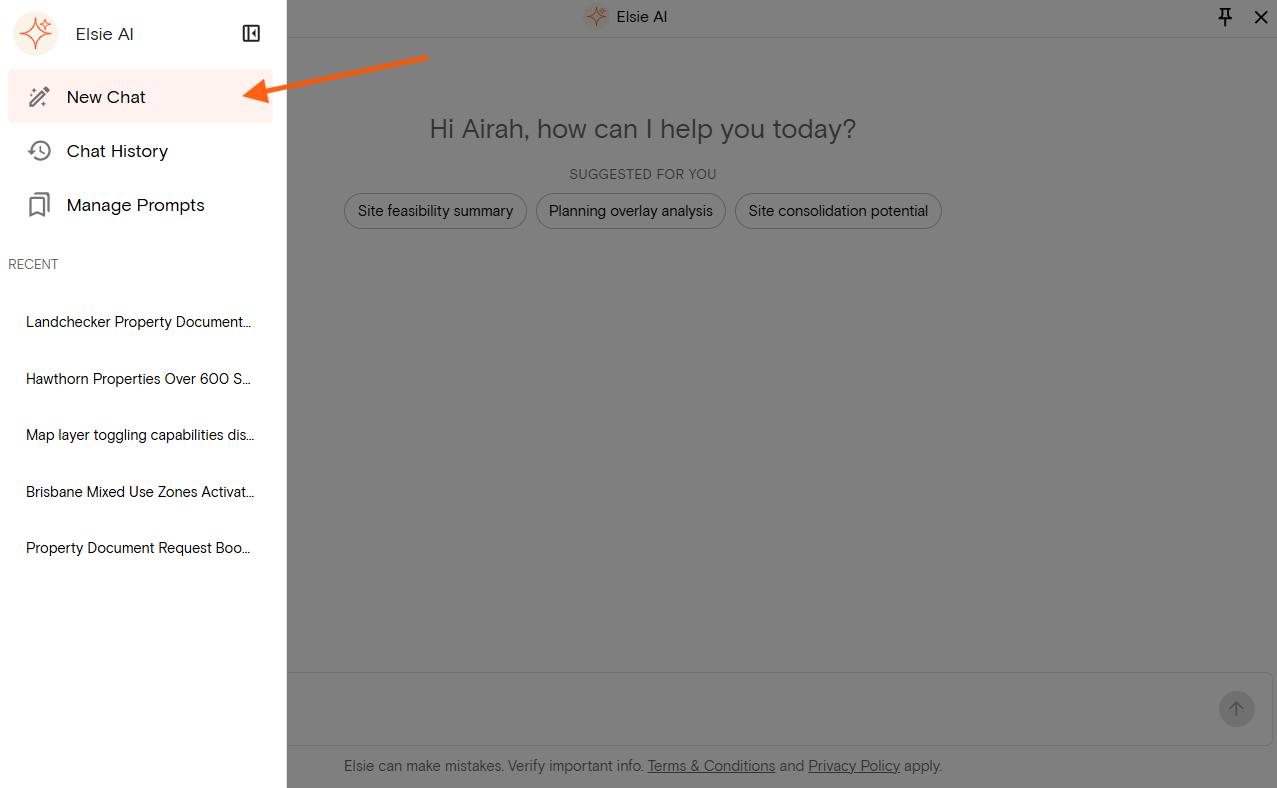
To start a fresh conversation, select New Chat from the Elsie panel. This clears the current conversation — useful when you move to a different property or want to ask something unrelated to your previous questions.
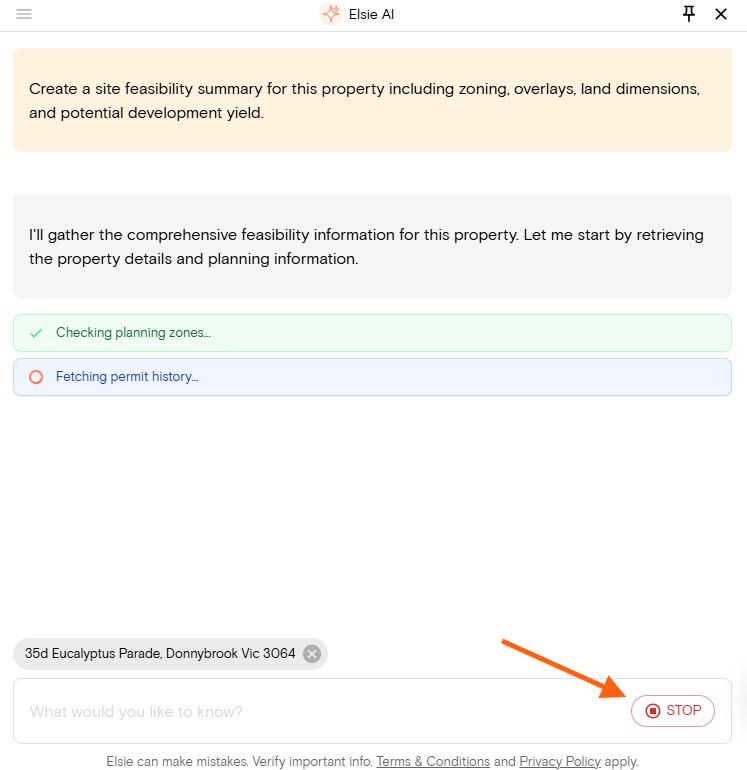
If Elsie is generating a response and you want to stop it, select the Stop button in the bottom right corner of the panel. You can then edit your prompt or type a new question.
Where to find your recent chats
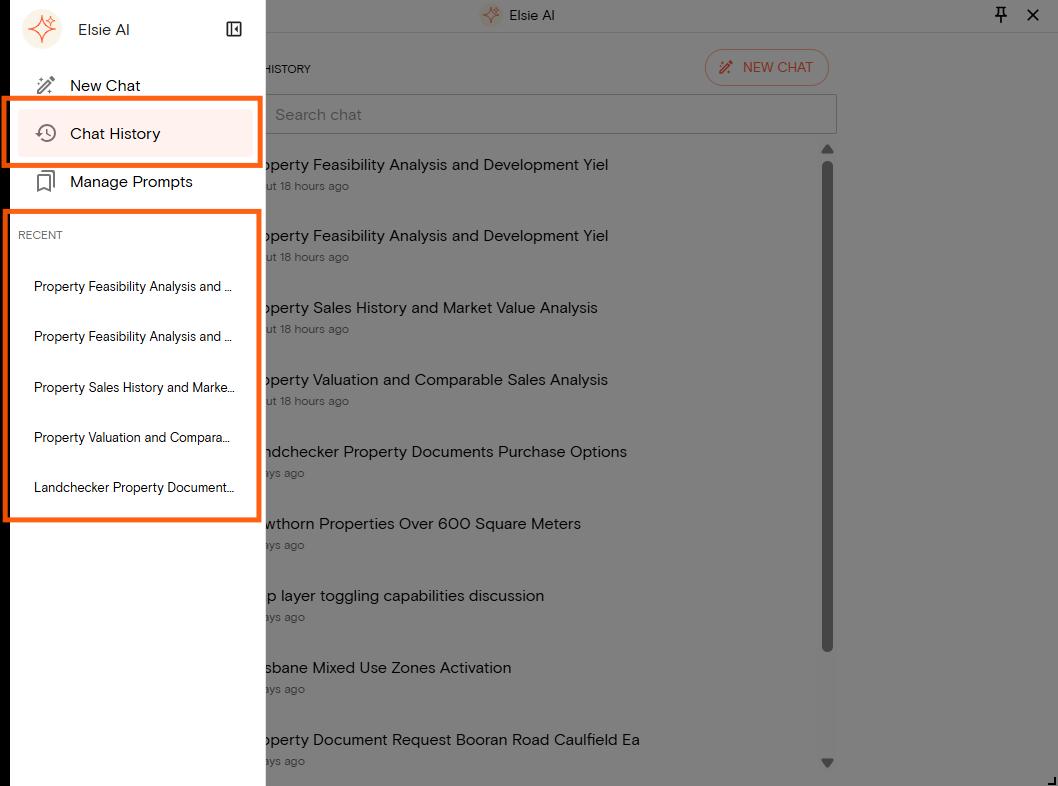
There are two ways to access your past conversations with Elsie.
Recent chats
Your most recent conversations appear in the right-hand panel under Recent. Select any chat from the list to open it.
Chat history
To see all past chats, select Chat history from the menu. This opens a full list of your conversations with timestamps. You can also use the search bar to find a specific chat by keyword. From the Chat history view, you can manage your saved chats:
1. Hover over any chat in the list to reveal the edit and delete options
2. Select the pencil icon to rename the chat
3. Select the bin icon to delete it
You can also start a fresh conversation at any time by selecting the New chat button in the top right corner of the panel.