
Product Help
How to search by lot/plan number
You can search for a property on the Landchecker map using its Lot/Plan number — a unique identifier made up of a lot number and a plan number. You can find these details on a title deed, rates notice, or council correspondence.
Important: the format you type in the search bar depends on your state and uses the technical parcel identifier (called the SPI — Standard Parcel Identifier). This is different from the format shown on the property panel. For example, to search for Lot 31 in Lodged Plan 11519 in VIC, type 31\LP11519 — not "Lot 31 LP11519".
How to Search by Lot/Plan Number
1. Click the address search bar at the top of the Landchecker map.
2. Type your Lot/Plan number using the correct format for your state (see below).
3. Press Enter or select a result from the dropdown list.
Note: You can copy and paste Lot/Plan details directly from a title search or copy of plan into the search bar.
Search Format by State
Use the guide below to find the correct format for your state.
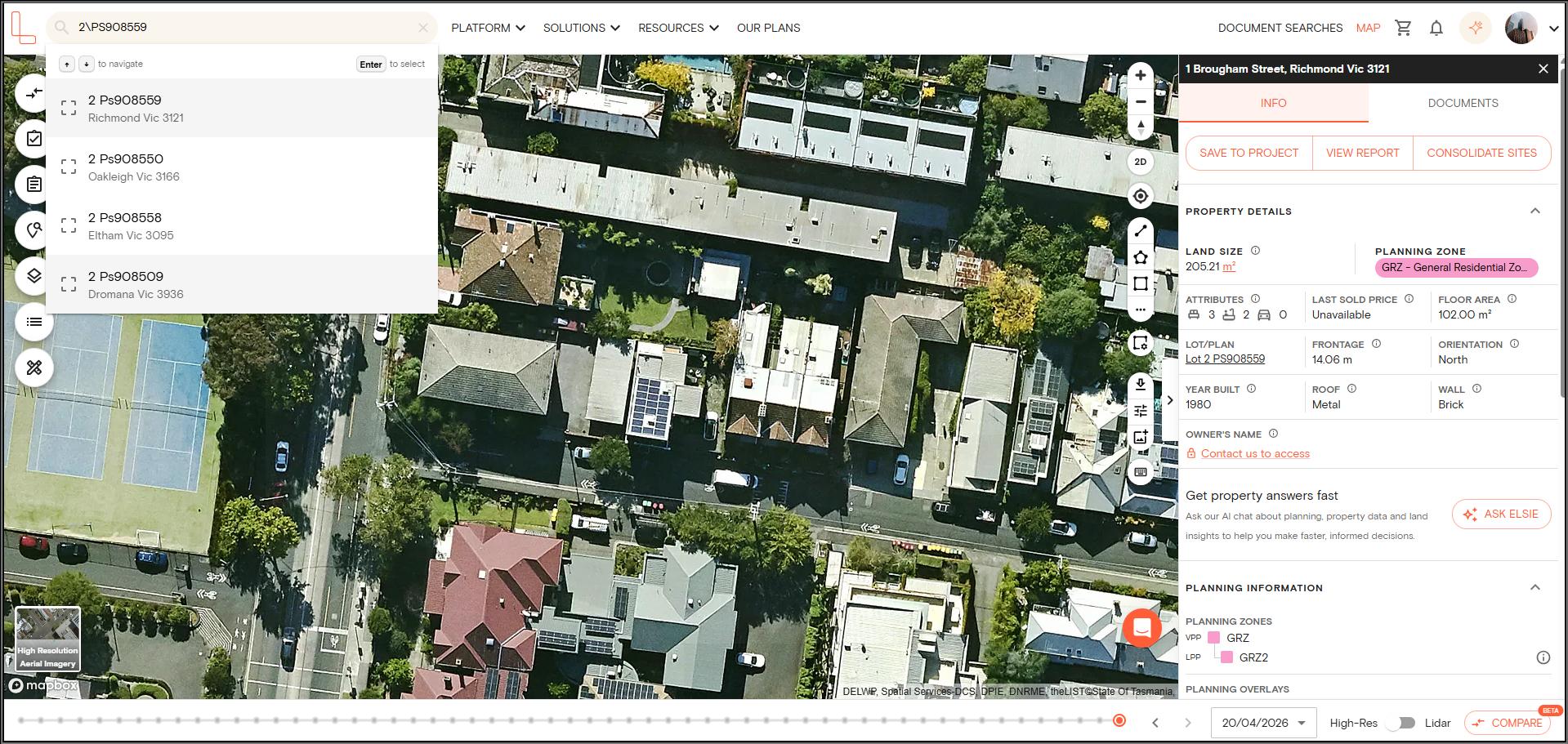
1. VIC — Use a backslash between lot and plan
| Sample Property Details | Enter in Search Bar | Also Works |
|---|---|---|
| Lot 2 in Plan of Subdivision 908559 | 2\PS908559 | PS908559 |
| Lot 31 in Lodged Plan 11519 | 31\LP11519 | LP11519 |
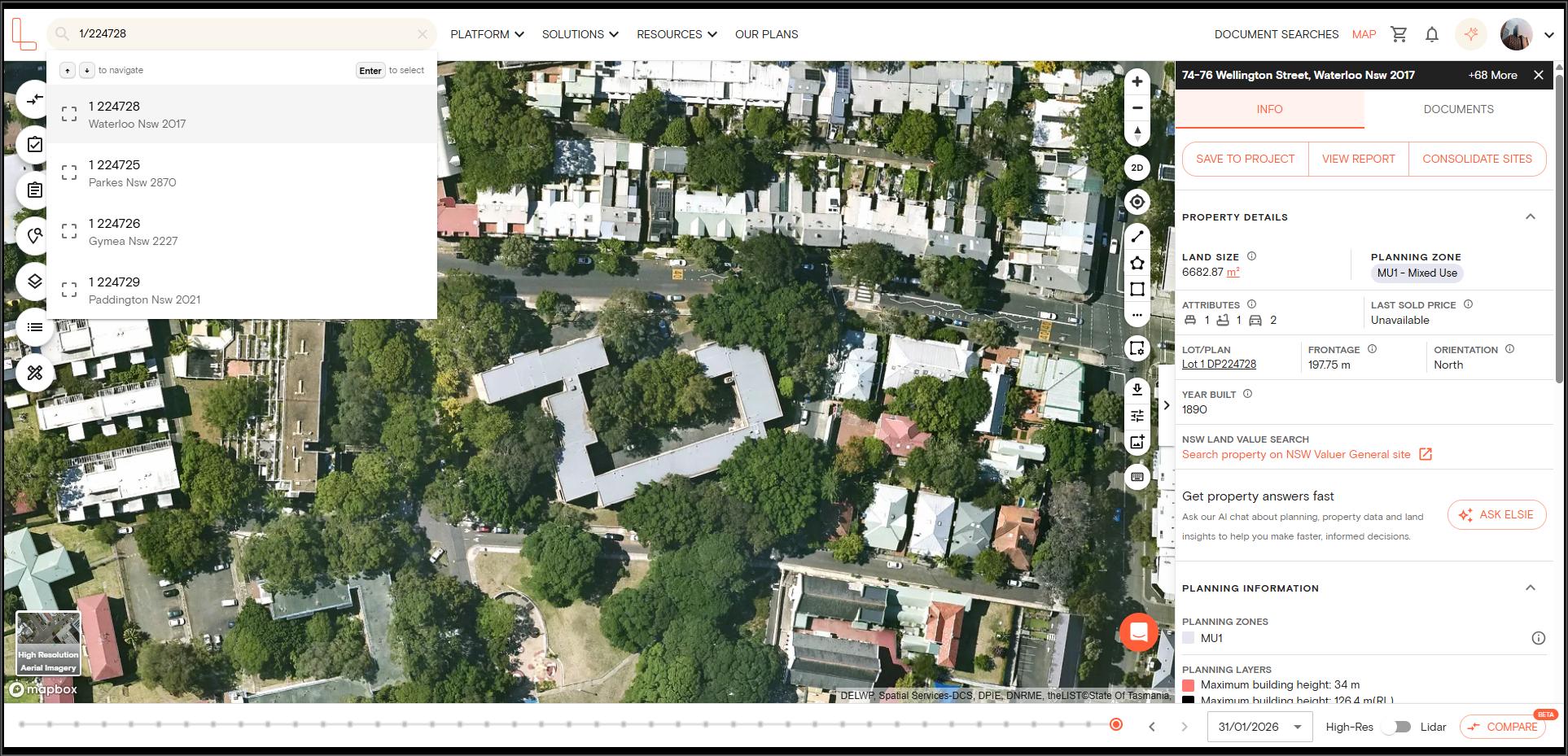
2. NSW — Use a forward slash between lot and plan
| Sample Property Details | Enter in Search Bar | Also Works |
|---|---|---|
| Lot 1 in Deposited Plan 1320074 | 1/1320074 | DP1320074 |
| Lot 22 in Strata Plan 86335 | 22/SP86335 | SP86335 |
Note:
For Deposited Plan (DP) numbers, drop the DP prefix in the search — type 1/1320074 not 1/DP1320074. For Strata Plan (SP) and other plan types, keep the prefix — type 22/SP86335.
Some older NSW parcels have a section letter between the lot and plan numbers (e.g., 11/C/1844). This applies to around 6% of NSW parcels and comes from historical survey conventions.
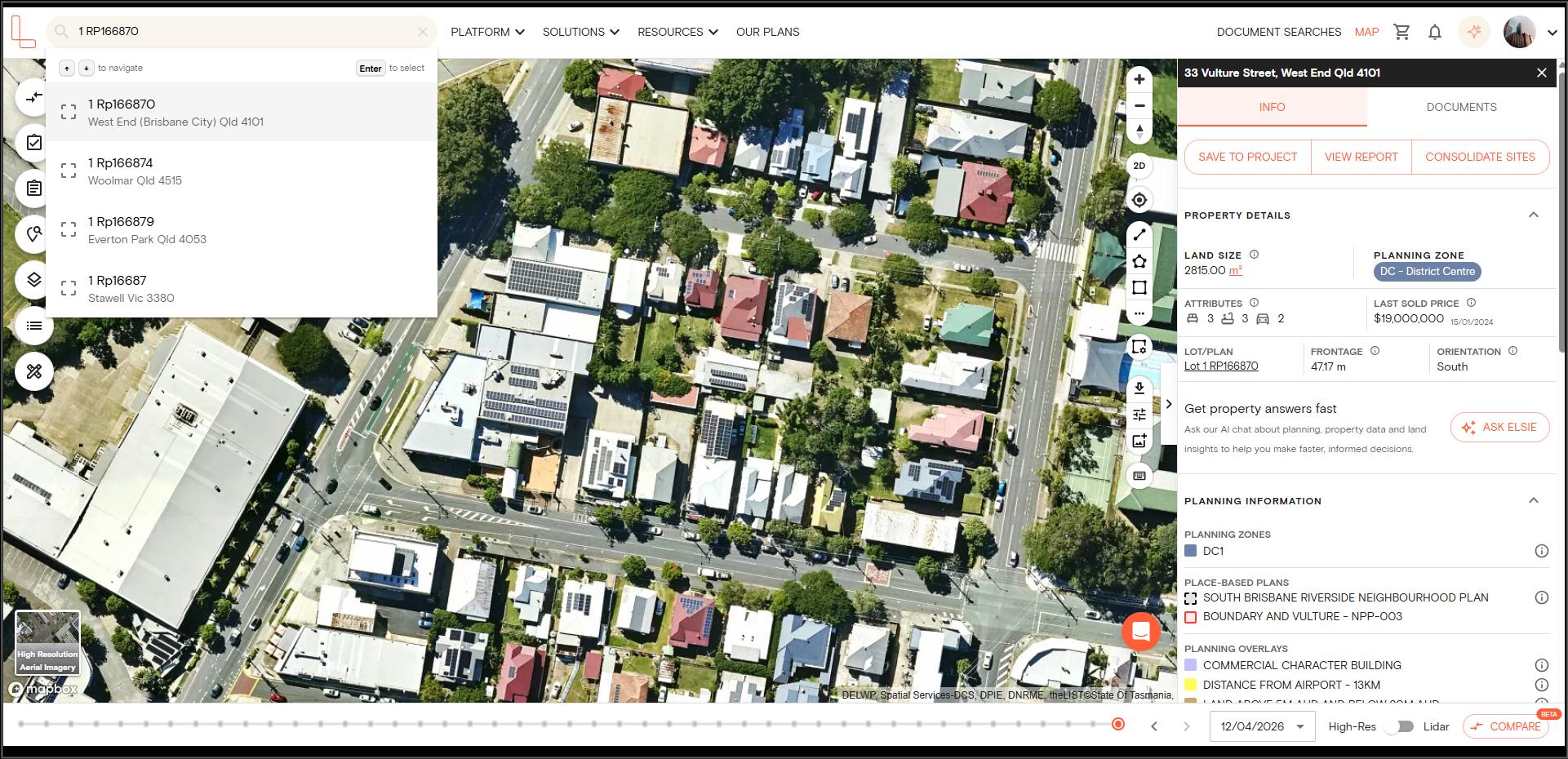
3. QLD — Use a space between lot and plan
| Sample Property Details | Enter in Search Bar | Also Works |
|---|---|---|
| Lot 30 in Survey Plan 118999 | 30 SP118999 | SP118999 |
| Lot 11 in Registered Plan 21535 | 11 RP21535 | RP21535 |
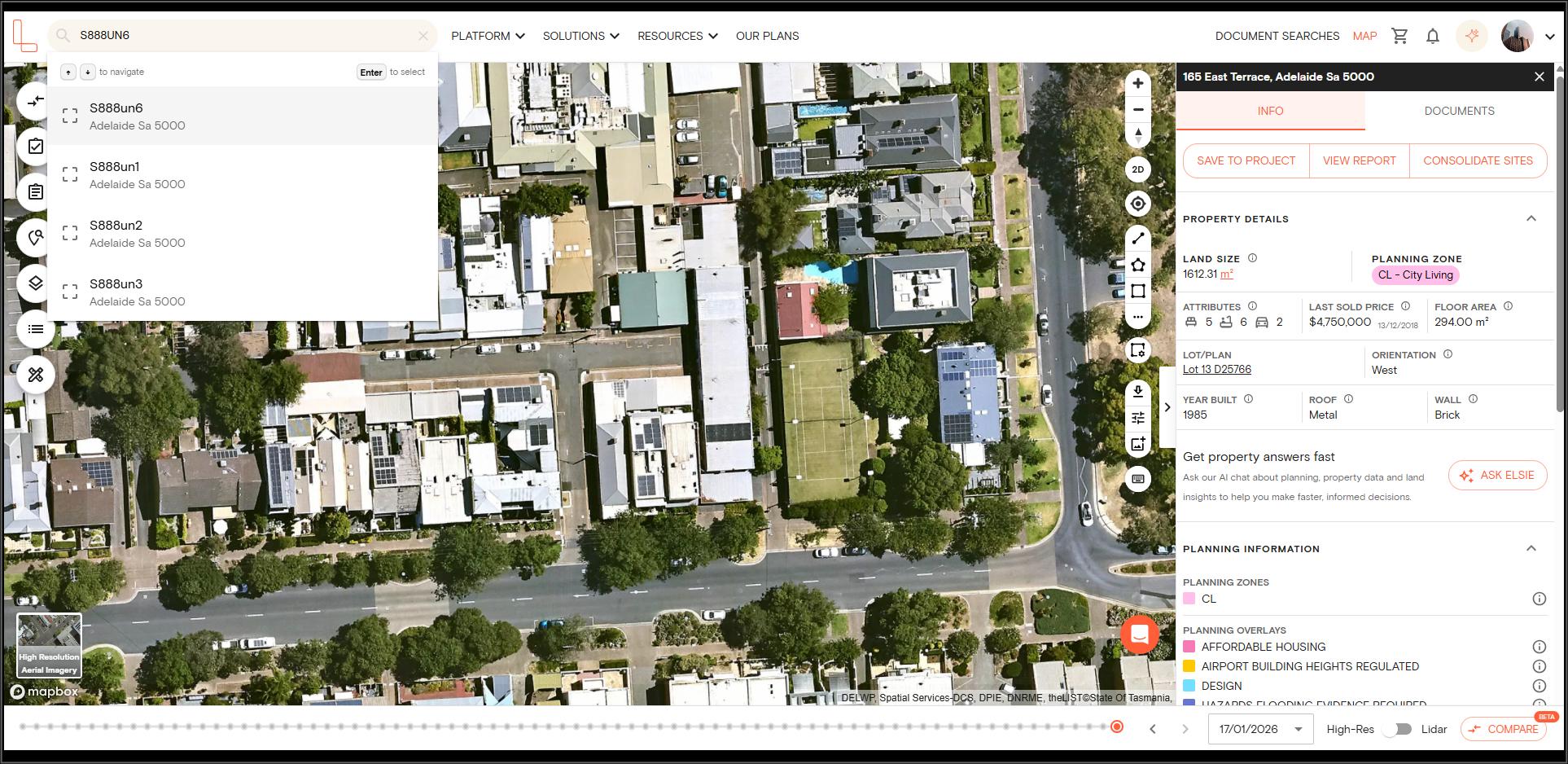
4. SA — Type the plan code followed by the lot number (no separator)
South Australia uses a concatenated format that combines the plan and allotment number with no separator.
| Sample Property Details | Enter in Search Bar | Also Works |
|---|---|---|
| Unit 6 in Strata Plan 888 | S888UN6 | S888 |
| Allotment 12 in Deposited Plan 16566 | D16566AL12 | D16566 |
NOTE: SA uses AL for Allotment and UN for Unit.
5. TAS — Use a forward slash (Volume/Folio, not Lot/Plan)
Tasmania uses a Volume/Folio system instead of Lot/Plan. You can find these numbers on your title deed.
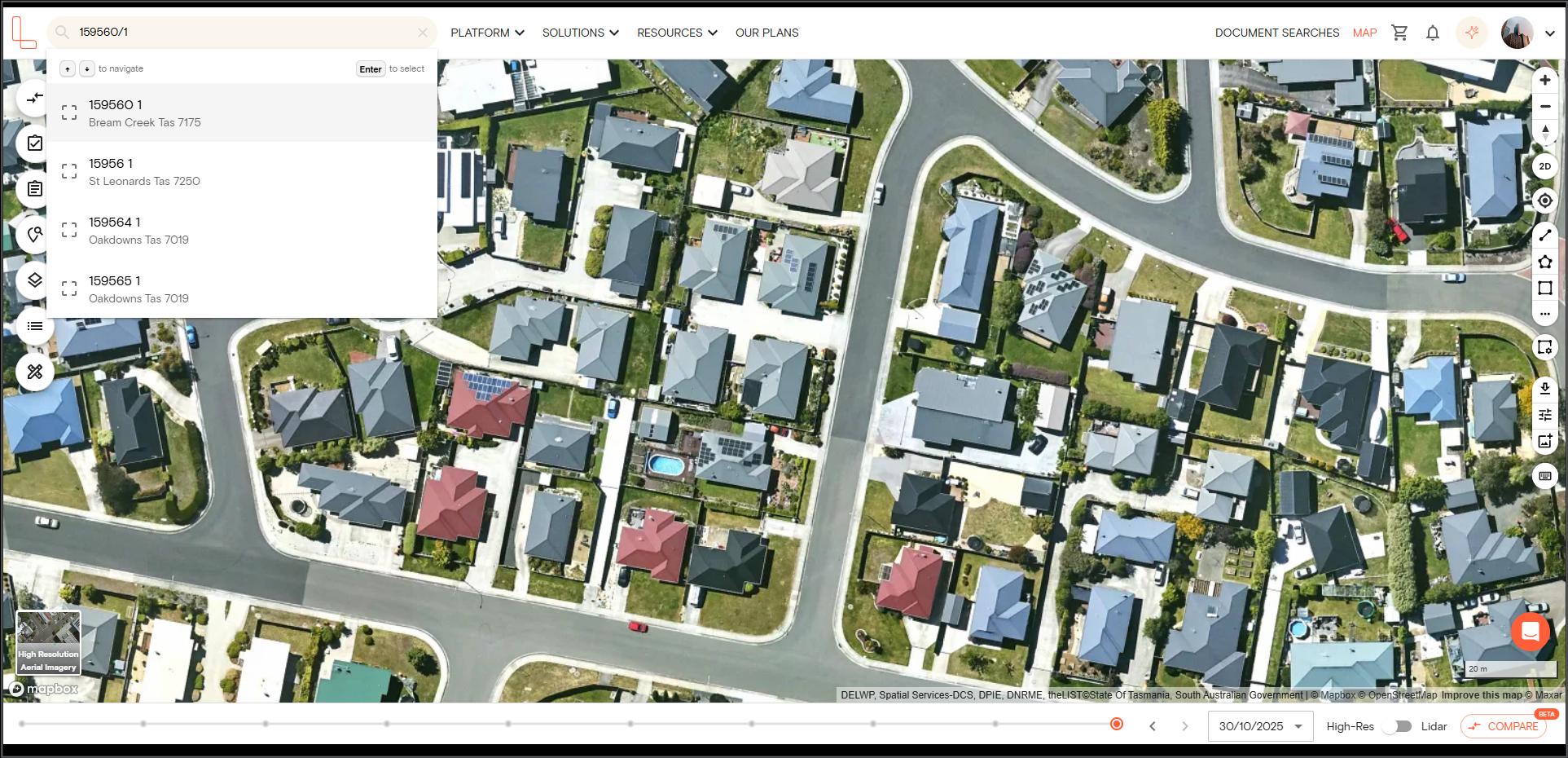
| Sample Property Details | Enter in Search Bar | Also Works |
|---|---|---|
| Volume 132902, Folio 5 | 132902/5 | 132902 |
| Volume 159560, Folio 1 | 159560/1 | 159560 |
6. WA — Use a forward slash between lot and plan
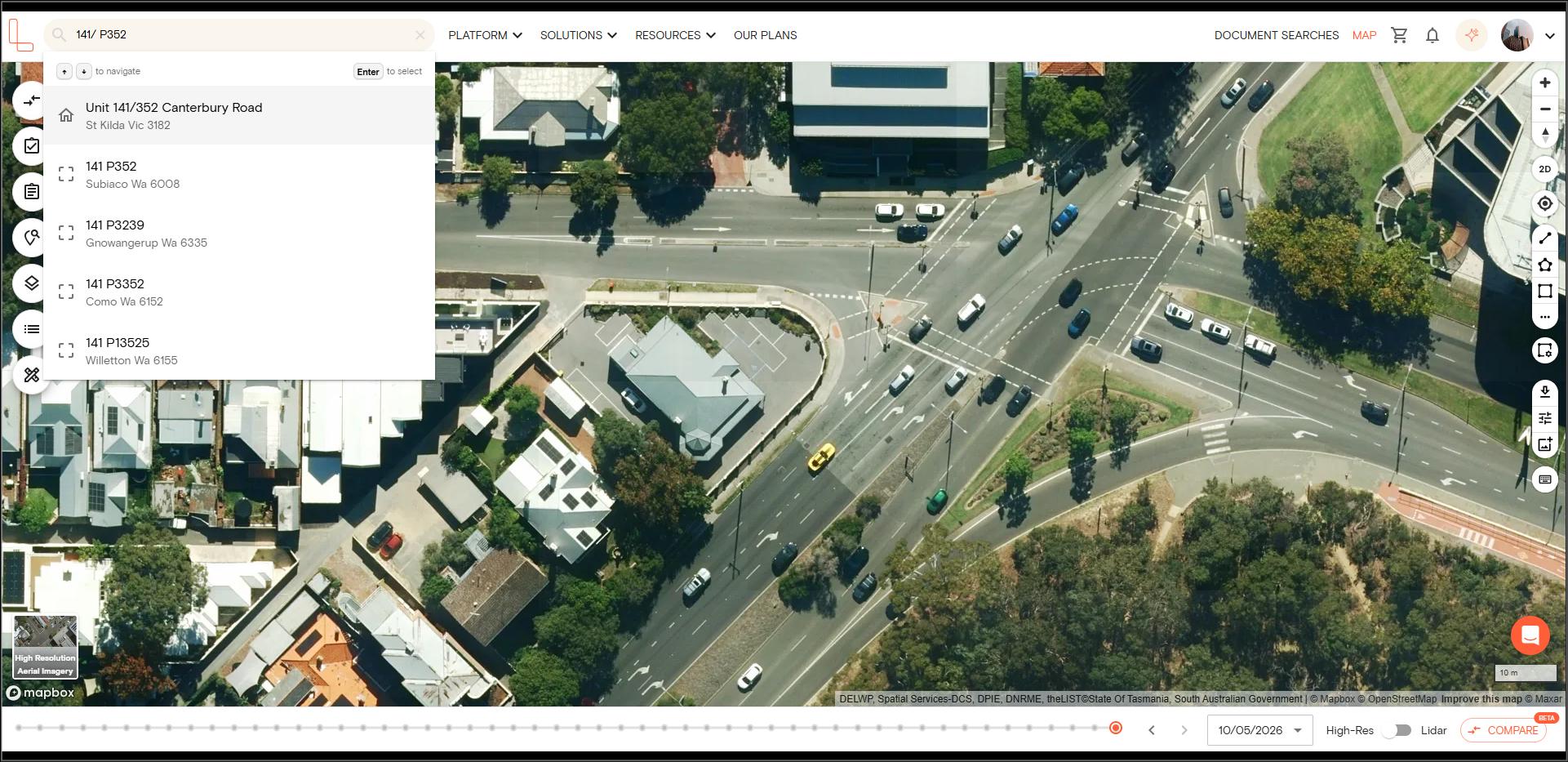
| Sample Property Details | Enter in Search Bar | Also Works |
|---|---|---|
| Lot 19 in Deposited Plan 406063 | 19/DP406063 | DP406063 |
| Lot 54 in Plan 9267 | 54/P9267 | P9267 |
7. ACT — Use forward slashes between each part
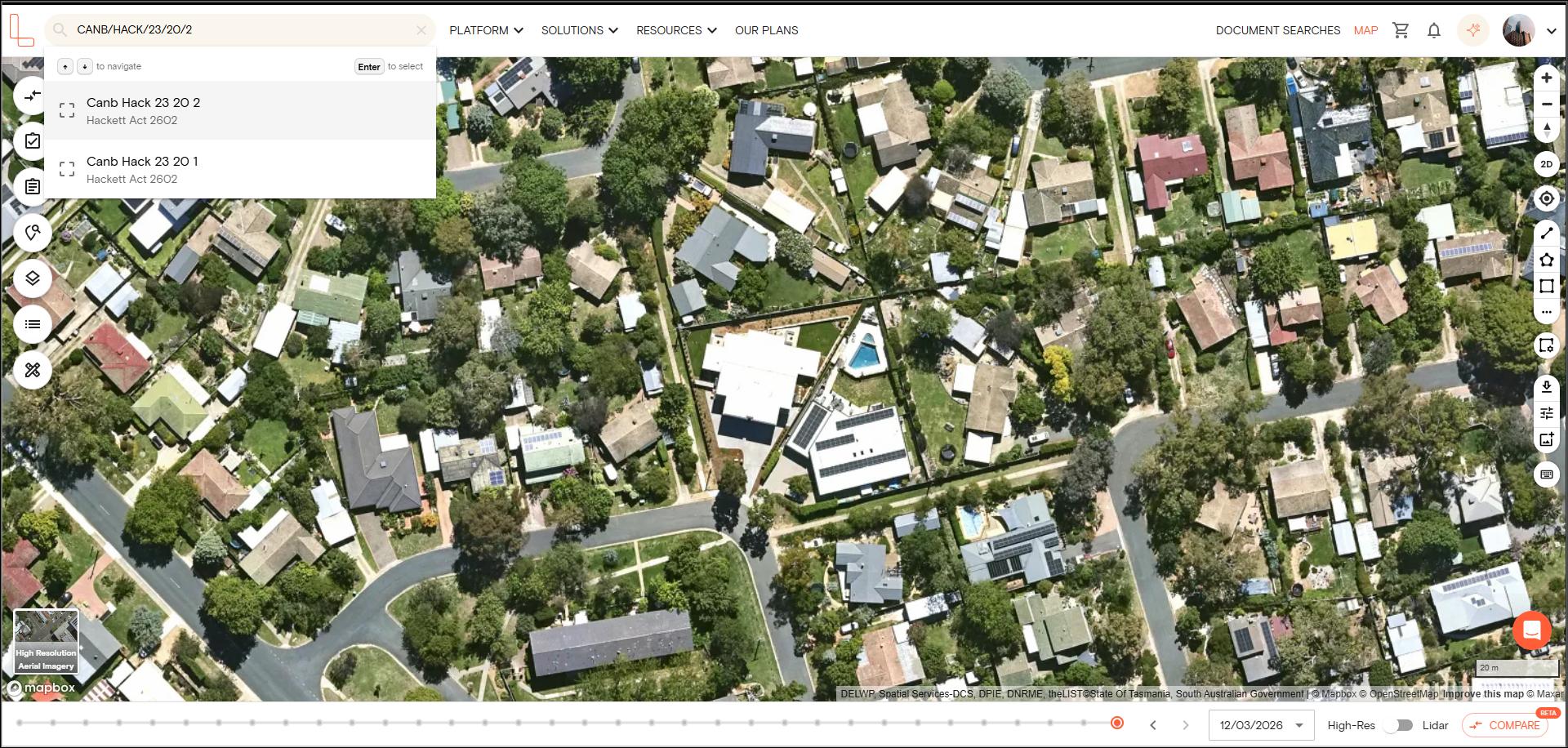
| Sample Property Details | Enter in Search Bar | Also Works |
|---|---|---|
| Hackett, Section 23, Block 20, Unit 2 | CANB/HACK/23/20/2 | UPL16838 |
| DICKSON Section 33 Block. 83 Unit. 17 | CANB/DICK/33/83/17C | UPL15801 |
ACT does not use Lot/Plan. Instead, land in Canberra is identified by a geographic hierarchy: District / Division / Section / Block / Unit. You can find your ACT details on your rates notice or title search.
• District = major region (e.g., CANB = Canberra Central, TUGG = Tuggeranong)
• Division = suburb (e.g., HACK = Hackett, DEAK = Deakin)
• Section = numbered area within the suburb
• Block = individual land parcel
• Unit = apartment/unit number (if applicable)
8. NT — Long format with location name
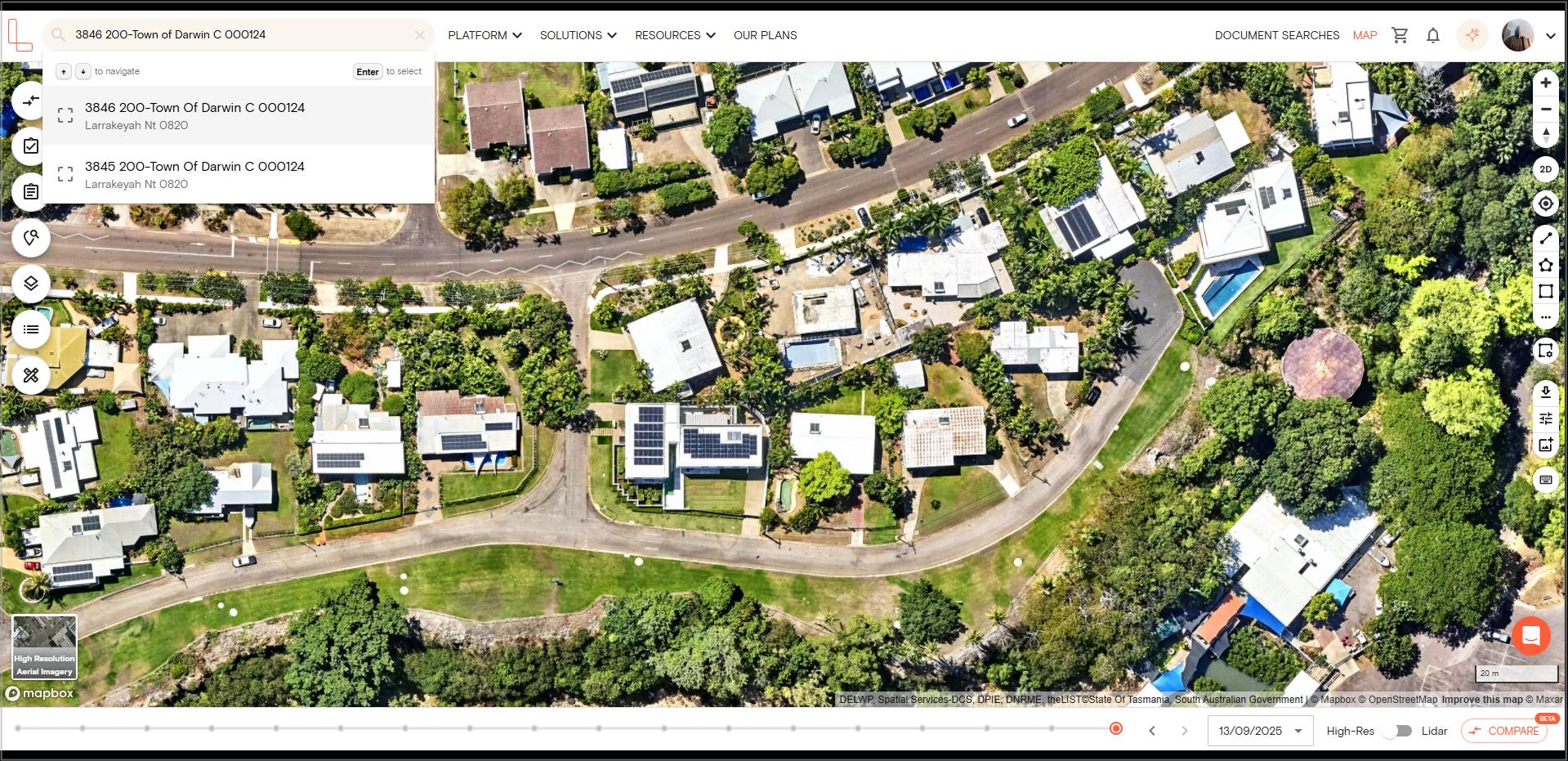
| Sample Property Details | Enter in Search Bar | Also Works |
|---|---|---|
| Parcel 3996, NT Portion | 3996 000-NT Portion S | 000 or 3996 000 |
| Lot 3846 200 | 3846 200-Town of Darwin C 000124 | 3846 200 |
NT parcels include the location name, which makes them longer to type. If you have trouble finding your property using the NT format, searching by address is the easiest alternative.
Tips When Searching by Lot/Plan Details
Here are some quick tips when searching by lot/plan details on Landchecker:
1. Search by plan number only
If you don’t know the full Lot/Plan, you can search using just the plan number (e.g., LP11519, DP1042838, SP304285). A list of all lots on that plan will appear for you to choose from.
2. Use a space as a separator
A space instead of / or \ will usually work (e.g., 54 P9267 instead of 54/P9267). However, if the search returns no results, switch to the exact format from the table above.
3. Turn on Parcel Labels to confirm you’re on the right property
You can toggle on the Parcel Labels layer under Common Layers on the left-hand side menu to display the Lot/Plan number directly on each parcel. This is a helpful way to double-check that your search has landed on the correct property.
Troubleshooting Guide
I typed just the lot number and nothing came up
Searching by lot number alone (e.g., just 31) won’t work because lot numbers are not unique — many properties across Australia share the same lot number. Include the plan number as well.
I typed “Lot 31 LP11519” and got no results
The search bar doesn’t accept the “Lot X Plan Y” format. Use the state-specific SPI format instead — for VIC, type 31\LP11519.
I used a forward slash but I’m in VIC
VIC uses a backslash (\), not a forward slash (/). NSW and WA use a forward slash.
I’m in ACT and don’t have a Lot/Plan number
ACT doesn’t use Lot/Plan. You need your District/Division/Section/Block details from your rates notice. You can also search by address instead.
I only have a Volume and Folio number
If you’re in Tasmania, Volume/Folio is your parcel identifier — type it as Volume/Folio (e.g., 159560/1). If you’re in VIC, Volume/Folio is a title reference, not a parcel identifier — search by address or Lot/Plan instead.
Nothing is working and I still can’t find my property
If the lot/plan search isn’t returning results, you can still find your property by:
Searching by address — the most reliable method
Searching by suburb or postcode and clicking on the property on the map
Navigating to the property on the map and clicking directly on it