
Product Help
A quick overview of Elsie
Elsie is Landchecker’s AI agent. Select a property on the map and ask Elsie questions about it. It pulls data directly from Landchecker to provide answers on planning zones, overlays, constraints, document requirements, and more.
This article outlines what Elsie can do and how to use the panel's key features.
How to access Elsie
Log in to your Landchecker account and select the Elsie icon in the navigation bar at the top right of the screen, next to your profile. This opens the Elsie chat panel on the right-hand side of the map.
Moving and resizing the chat panel
You can adjust the Elsie panel to suit how you work:
1. Move and resize panel
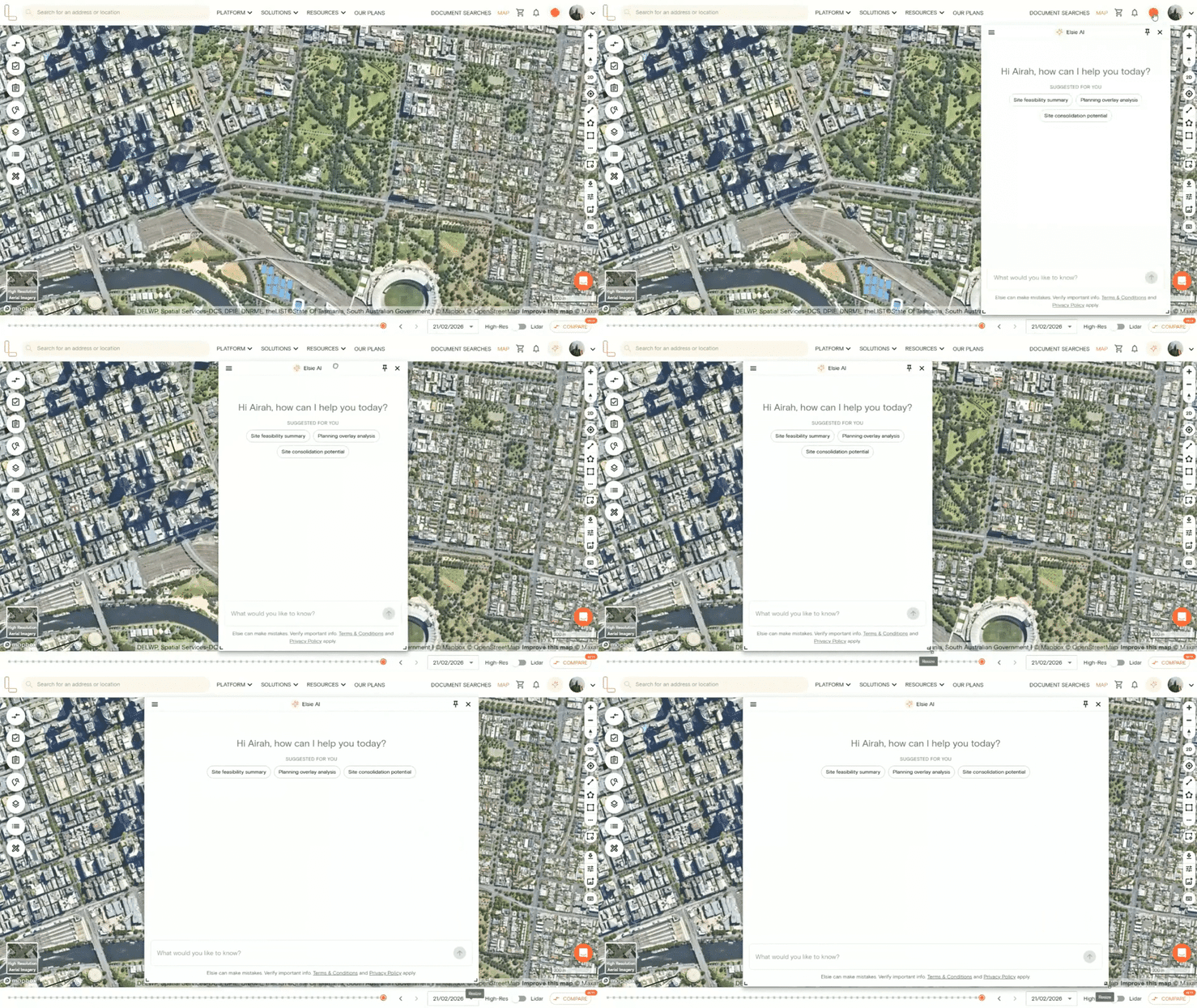
Click and drag the Elsie panel to reposition it anywhere on the map. Then drag the lower corner edges of the panel to expand or reduce its size.
2. Pin the panel
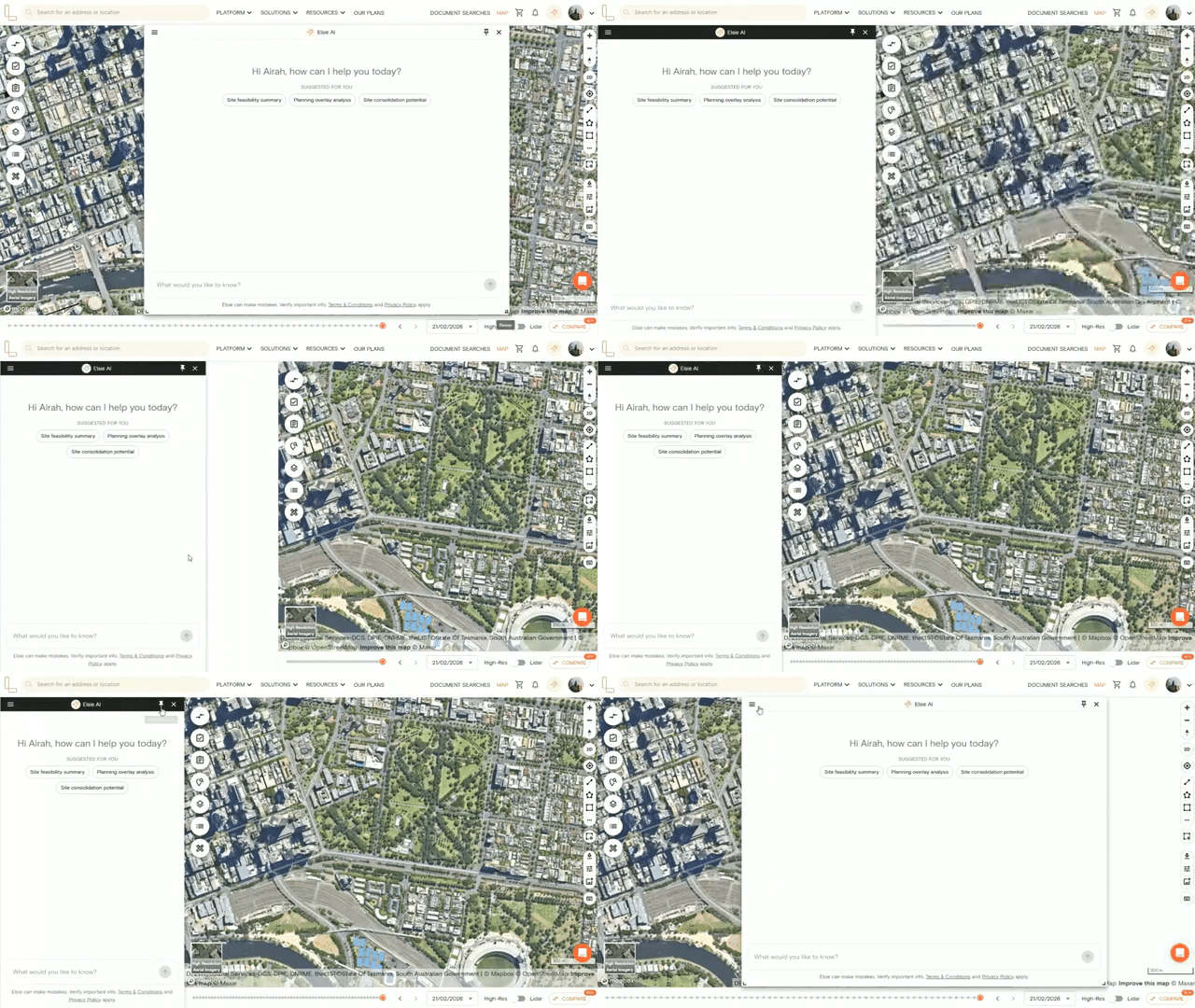
Select the pin icon in the top-right corner of the panel to dock Elsie on the left-hand side of the screen. This keeps the panel in a fixed position so you can work with Elsie and the map at the same time. Select the pin icon again to unpin it.
Elsie capabilities
Elsie can answer a wide range of questions about a selected property. Here’s a breakdown of what it can help with.
1. Get a summary of a property
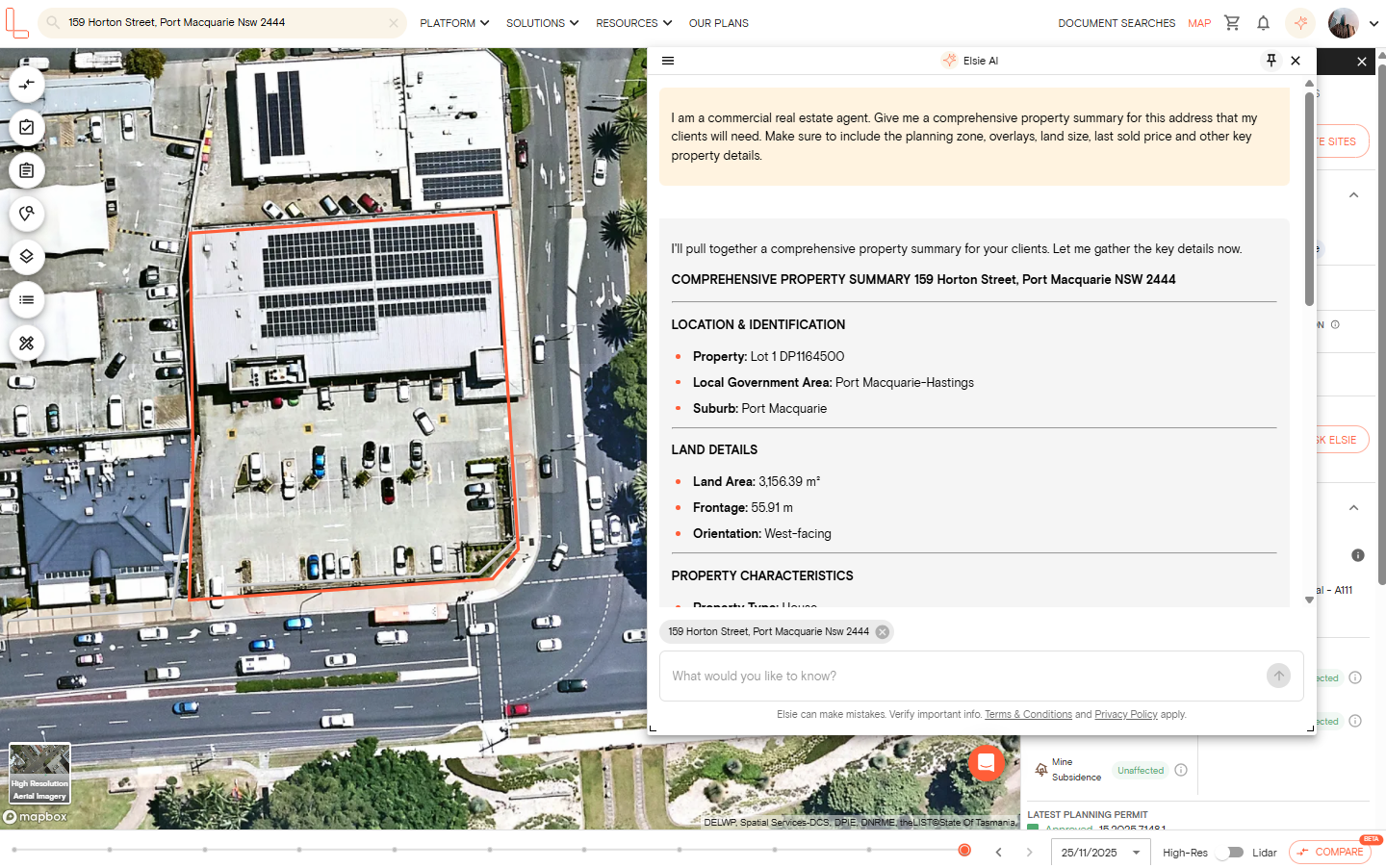
Ask Elsie for a quick rundown of a property, and it’ll pull together the key details: the address, lot size, planning zone, any overlays, and notable constraints. This is useful when you need a fast overview before diving deeper.
2. Understand zones and overlays
Elsie has direct access to planning zone and overlay data for the selected property. Ask her which zones or overlays apply, what they permit or restrict, and how they affect your assessment. It can also help you find properties that fall within a specific zone or overlay, useful for site searches or building a comparable set.
3. Explore what you can do with a site
Elsie can help you understand the planning context for a site — what’s permitted under the zone, any height or setback requirements, and what other developments have been approved nearby. This gives you a starting point for assessing feasibility before engaging a planner or consultant.
NOTE: Elsie provides information to help you research a site. It does not provide formal planning, legal, or valuation advice. For decisions that depend on professional judgement, consult a qualified professional.
4. Check planning permit and DA
Elsie can retrieve the permit and development application history for a selected property, including the type of application, current status, and outcome. It can also surface nearby approvals — useful for identifying development precedents and understanding what councils have previously supported in the area.
5. Get document recommendations
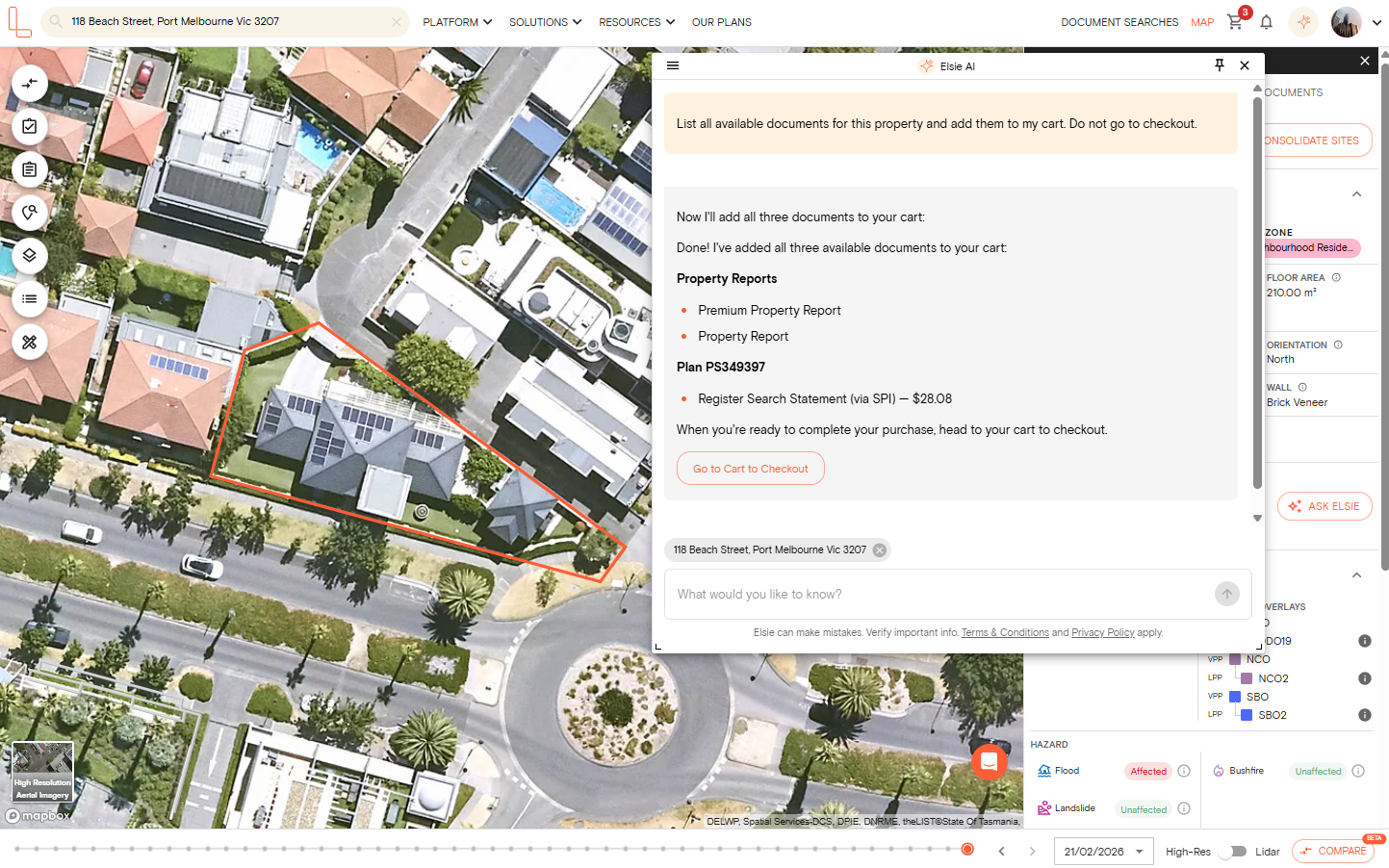
Tell Elsie what you’re working on, and it’ll recommend the documents most relevant to your situation. It can also add recommended documents directly to your basket so you can purchase them without leaving the platform.
6. Search for properties in plain English
Describe what you’re looking for, and Elsie will run the search across Landchecker’s property database. It can filter by suburb, zone, lot size, frontage, corner site status, and more; there's no need to set up filters manually. Matching properties are listed on the response so you can review them.
7. Navigate the map and toggle data layers
Elsie can move the map to any location and highlight relevant parcels as part of her response. It can also turn data layers on and off — including zones, overlays, flood mapping, and heritage layers — so the information most relevant to your query is visible on the map without you needing to manually adjust the settings.
8. Manage and track properties in a project
Elsie can create a project for you, add properties to it, and help you keep track of sites you’re monitoring or actively assessing. This is particularly useful when you’re managing a pipeline of potential acquisitions or tracking changes across multiple sites.
9. Compare properties side by side
When you’re assessing a shortlist, Elsie can compare properties side by side against the criteria that matter to you — zoning, lot size, overlay burden, permit history, or development potential. This speeds up the process of narrowing down sites before you commit time to deeper due diligence.