Property Development Management & Feasibility, Software & Tools

Compare the best property development software in Australia across four categories: feasibility, site analysis and planning data, project management, and AI-powered design. See what each tool does, who it suits, pricing and limitations, so you can build a workflow that works for your projects.
By the Landchecker Team
Published: 27 September 2023
Last updated: 8 September 2026
Property development software refers to digital tools that help developers research sites, assess feasibility, manage planning controls, conduct due diligence and coordinate projects. In Australia, these tools range from feasibility calculators and planning data platforms to project management systems and AI-powered design tools.
Property developers use software to manage multiple data sources, such as land registries, planning portals, market data and aerial imagery. They also use software to consolidate financial modelling, compliance checks and project coordination into fewer platforms.
In Australia, each state has its own planning system, land registry and regulatory framework. Tools that consolidate cross-state data are particularly valuable for developers working across jurisdictions.
With new software and tools continuing to emerge, it can be hard to know which are worthwhile and suitable for your needs, so we have created a helpful review of the best property development software and tools in Australia across four categories, including property development feasibility software, site analysis and planning data tools, property development project management software, and AI-powered design and concept tools.
Tools in this guide were selected based on relevance to Australian property development workflows, current availability, and suitability across different stages of the development process. This guide is updated periodically.
Property Development Feasibility Study
Property development feasibility software helps developers model the financial viability of a project before committing capital. These tools calculate residual land value, forecast cash flows, run sensitivity analysis, and compare development scenarios.
1. Feaso (Property Development Feasibility Study)
This Property Development Feasibility Software app (developed by Lead Developer Feaso) lets developers perform in-depth feasibility analysis – without the complicated financials. Just fill in the Input Sheets and the app can provide a range of data insights, taking into account items like land costs, sales, legal fees, standard construction, impact site location and so on. You can simulate the profit, development margin, ROI, benchmark costs, equity contribution and much more with this single app.
What it does: Feaso uncomplicates important calculations and gives you a detailed cash flow and model contingency scenarios, which are easy to download and simple to use.
Who it’s for: Feaso suits property developers, investors, and builders who want to assess project viability through simple, data-driven modelling.
Australian availability: Feaso is available in Australia.
Pricing model: Prices start at AUD$159 per year or AUD$479 for lifetime access. However, if you only need a specific tool, you may purchase or subscribe to any of their individual add-ons that suit your needs. They also offer a free trial with unlimited access to their demo mode so you can explore before making a purchase.
Limitation: If you need the build-to-rent feature or more detailed cash flow and timeline modelling, you’ll need to subscribe to other tools, such as the Lead Developer+ tier and the Smart Feasibility Calculator. It also runs in Google Sheets, so you may need a Google account or workspace to use Feaso.
2. Aprao
Specifically designed with the finance side of property development in mind, Aprao is a property development feasibility software that helps increase accuracy, consistency and efficiency for faster, better results. This includes the financial feasibility of a property via automating cash flows, cost sensitivity reports and more. Better yet, Aprao knows you won’t always be in the office, so you can use this flexible property development software tool on any device, from anywhere with an internet connection.
What it does: Aprao provides better development appraisals, minimises risk and increases efficiency for every project. It also helps drive faster, smarter property business decisions.
Who it’s for: Property developers, real estate professionals, land and acquisitions teams, valuers and lenders producing property development appraisals, residual land values and professional reporting.
Australian availability: Aprao is UK-based but has expanded to the Australian market in 2021, even releasing a feature that allows you to factor in Australian Sales Tax (GST) and the margin scheme.
Pricing model: Aprao offers a 7-day free trial that gives you access to create unlimited projects and enjoy the full Aprao experience. After the trial, you’ll automatically move on to their Business plan at AUD$600 per month, which includes one user. Additional users are AUD$250 per user, per month.
Limitation: Aprao is focused on development appraisal and feasibility rather than lease-by-lease commercial DCF valuation.
3. Argus EstateMaster
This is the next level up in terms of feasibility software developed especially for property developers. It uses an industry-recognised framework (with a familiar interface) that allows you to forecast the feasibility of a project using a discounted cash flow analysis.
Appraise opportunities, calculate residual land values, run sensitivity analysis, quantify development risk by testing changes in variables (like construction costs and duration, interest rates, etc.) and more with ease. You can also connect the Argus EstateMaster software with third-party accounting applications, such as Xero, Intuit QuickBooks, MYOB, Workbench, MRI Project Cost and SQL server. It can also be connected to your sales CRM like Salesforce, Propertybase and SQL server, as well as Microsoft Word and Excel.
You will also be able to compare multiple development scenarios side by side and segment a project's stages. Nothing is left unchecked with Argus EstateMaster, which makes it an ideal property development feasibility software tool.
What it does: Argus EstateMaster helps you conduct development feasibility and appraisals. It can also be used to run sensitivity tests and probability analysis to determine the highest and best use of your property. It uses discounted cash flow analysis and is industry-recognised in Australia.
Who it’s for: It’s industry-recognised in Australia and used by major Australian banks, financiers, government bodies, and developers, such as CBRE, Colliers, and Lendlease. This software is best for enterprise developers, fund managers and consultancies running feasibility, budgeting and cash flow forecasting across a portfolio of residential, commercial, retail or industrial projects.
Australian availability: Argus EstateMaster is available in Australia and is owned and operated by the Althus Group.
Pricing model: Argus EstateMaster has several subscription plans available to support businesses of all sizes. Discount packages are available for multi-year subscriptions. They also offer a 14-day free trial.
Limitation: Argus EastMaster has a steep learning curve for property developers and professionals running a single small site. It also uses a spreadsheet interface. It also has higher pricing than alternative or custom spreadsheet solutions.
Site Analysis and Planning Data Tools
Site analysis tools help developers assess a property’s development potential by consolidating planning controls, zoning data, overlays, environmental risks, and title information. In Australia, where each state maintains its own planning framework, tools that aggregate cross-state data significantly reduce research time.
1. Landchecker
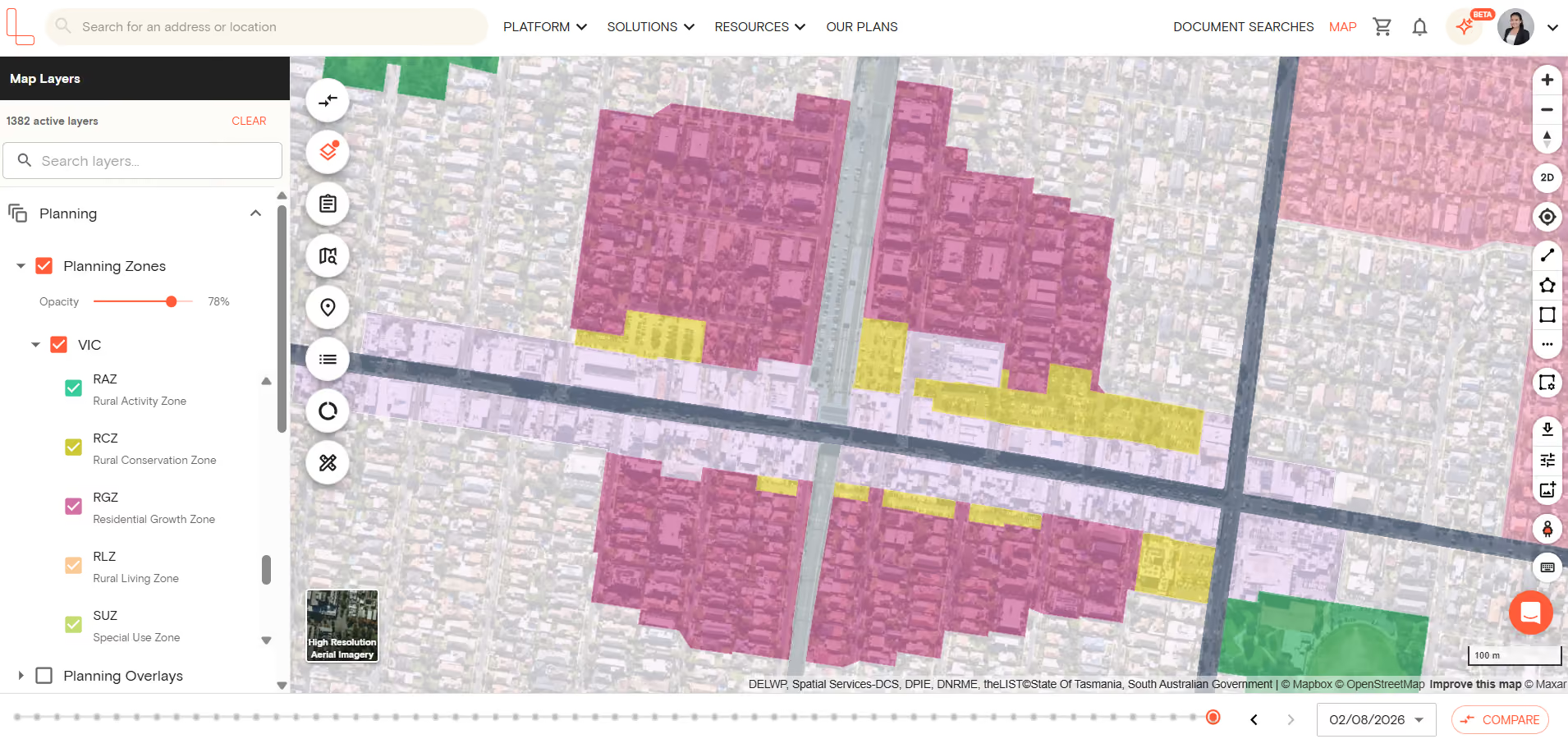
Landchecker helps you simply and quickly perform searches for on-market or off-market properties to identify key insights, such as heritage overlays, flood zones, property boundaries, site dimensions, land zoning maps, planning permit applications, property titles, sales history data and more.
There’s no need to visit the site location to accurately measure distances – you can use Landchecker’s measuring and drawing Map View tool.
You can also analyse high-resolution aerial and satellite imagery and geospatial data for a “full-picture” view that reveals how potential development site locations/suburbs are changing over time. Images are updated 3-4 times per year in metro areas, and 1-2 times per year in regional areas.
Site Finder can be used for faster site identification by filtering by zone, lot size, overlays and orientation. Once a site or sites are shortlisted, you can toggle on the planning overlays to confirm what can be built on a property and constraints that can affect development, such as heritage, bushfire, flood or environmental significance overlays.
The planning permit/DA tracking with traffic-light filtering allows you to check local approved and rejected permits/DAs to get a feel for what's going on in the vicinity. Use our permit/DA filters to filter by keywords to see what local council has approved nearby.
You can also conduct title and document searches on Landchecker across all states. You can either buy documents in map view through the ‘Documents’ tab, which appears in the property information panel or go to the Document Searches page.
Finally, you can download a premium property report that gives you a comprehensive summary of your subject property, including information about planning permits and planning schemes affecting your subject property.
“As a small developer, it's very helpful for quickly researching potential sites (zones, overlay, topography). The planning information and previous sale price data is great as it saves me having a separate system for each.” - Luke Rowart, Elevation Property
What it does: Landchecker offers a centralised service that provides readily accessible, accurate and consolidated property insights in just a few clicks. It also helps you identify potential constraints and opportunities early to optimise and inform overall property decisions. It gives you access to quick, streamlined and centralised searches and immediate data downloads.
Who it’s for: Landchecker is for valuers, real estate agents, property developers, legal professionals, architects & town planners and property professionals doing desktop due diligence on one site or shortlisting dozens of them, particularly those working across more than one state.
Australian availability: Landchecker is available in Australia with data coverage across all states.
Pricing model: Pricing starts at AUD$82.50 per month for Standard plans. You can choose between Starter, Standard, Advanced or an Enterprise plan depending on your data needs.
Limitation: Landchecker is a research and due diligence platform, not a financial modelling tool. Developers still need a feasibility tool like the ones in the previous section to turn a shortlisted site into a funding decision.
Property Development Project Management Software
Project management software helps developers coordinate teams, track timelines, manage documents, and maintain communication across the lifecycle of a development project. These tools are not property-specific but are widely adopted by development firms.
1. ProofHub
Great project management software is key to more efficient, effective property development outcomes, and ProofHub allows users to easily manage many different moving parts of a project.
You can collaborate, share and streamline key data and communication with different teams and stakeholders, create workflows, schedule everyday tasks, track sites, manage risk and much more.
It’s an ideal way to collaborate with multiple individuals in real-time – both internal and external consultants (like architects, designers and contractors) as needed whilst staying on top of deadlines.
What it does: ProofHub is an all-in-one project management software for control over projects, teams and work from a central location. It enhances efficiencies and saves time by keeping conversations organised, focused and on topic. It also has customisable and personalised options for improved usage.
Who it’s for: It’s best for development teams that want one tool to coordinate consultants and internal staff without paying for several point solutions.
Australian availability: Yes, it’s available in Australia.
Pricing model: ProofHub offers the ultimate control and essential plan. Pricing for the ultimate control starts at $89 per month for the first three months, billed annually, and $135 per month thereafter.
The essential plan costs $45 per month when billed annually or $50 when billed monthly.
Limitation: ProofHub is a project management tool so it does not provide property data such as planning zones, overlays or permits. It needs to be used alongside site analysis and planning data tools like Landchecker.
2. Autodesk BIM Collaborate
This property developer project management software is designed to reduce miscommunications and delays throughout the property/build project lifecycle. It helps to maximise the value of assets, time and money by increasing visibility among project collaborators. This in turn provides improved insights, which lead to better investments while staying connected in a data environment hosted in the cloud.
BIM Collaborate is ideal for managing costs, reducing waste and driving efficiency in building projects.
What it does: Autodesk BIM Collaborate uses model visuals, flexible workflows, automated analysis tools and more. It centralises data so you can see the full picture and securely track progress and deliver your projects on time.
Who it’s for: Autodesk BIM Collaborate connects architecture, engineering and construction teams on a single platform for simpler collaboration. It improves communication, accelerates project timelines and reduces rework and RFIs.
Australian availability: Autodesk BIM Collaborate is available in Australia, and you have the option to store project data locally in their data centres in Australia to reduce latency and meet regional data requirements.
Pricing model: Annual subscription starts at A$123 per month with an option to lock in your price for 3 years to save more.
Monthly subscription starts at A$185 paid monthly.
Limitation: Autodesk BIM Collaborate is a BIM coordination tool, which means it’s not a lightweight project tracker. Smaller developments or teams are usually better served by a general tool like ProofHub.
AI-Powered Design and Concept Tools
AI-powered design tools allow developers and architects to generate and evaluate building concepts against planning controls, environmental factors, and feasibility parameters. These tools are increasingly used in the early feasibility stage to test what can be built on a site before engaging architects for detailed design.
1. Forma
Forma is an AI-powered design tool best suited to architects and hands-on planners and developers who want to test, evaluate and optimise building concept options against a range of customisable factors and criteria. Oh, and it does this in just seconds!
Forma takes into consideration the site and its surroundings (such as conditions like daylight potential, sunlight, wind, noise and more).
The result is the confidence and ability to make more informed decisions about which designs will offer the best ROI, have the greatest possible impact, be the most sustainable, and so on.
What it does: Forma Site Design is cloud-based site planning and analysis software. It helps architects analyse sites, explore design options, and make better decisions via real-time, predictive analytics. By providing you with enhanced, data-driven insights, it can help improve build project outcomes. You can also share projects via the cloud with any team or project members.
Who it’s for: Architects and designers who want to set up projects to stay ahead of deadlines, use contextual data and real-time AI analyses, and speed up design reviews.
Australian availability: Autodesk Forma is available in Australia, featuring local regional data storage and dedicated server support.
Pricing model:
Forma Site Design included with the AEC Collection:
Annual subscription starts at US$231 per month, paid annually.
Monthly subscription starts at US$345 per month.
Forma Site Design: Standalone, includes Docs:
Annual subscription for US$44/month, paid annually
Monthly subscription for US$65, paid monthly
Flex plan for US$99/33 tokens (minimum), 6 tokens/day for this product
Limitation: Forma is a design tool and may not replace a formal feasibility study or planning approval, so the output still needs to be checked against the planning scheme for your specific property.
2. Tandem
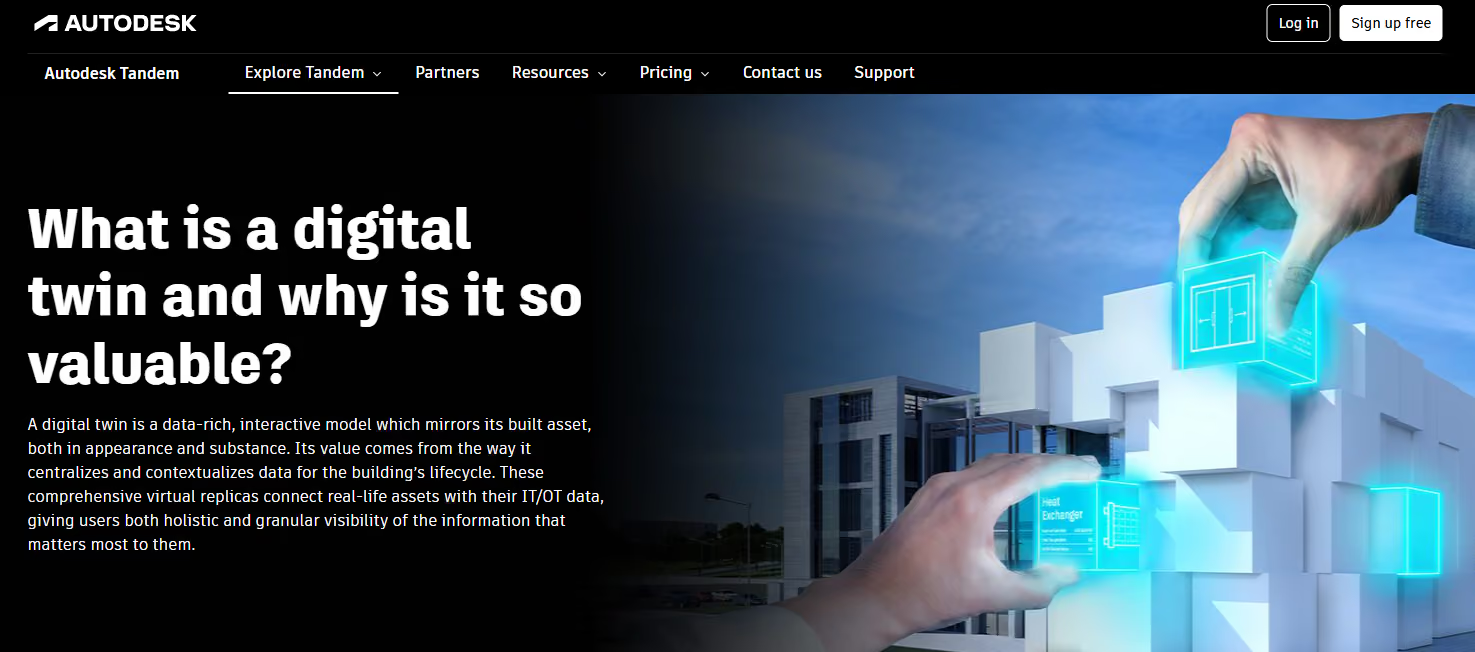
Tandem is an architectural and property development software tool that uses “Digital Twin” technology – the latest evolution in Building Information Modelling.
The “digital twin” represents an intuitive replica to help maximise a property investment and achieve build goals (such as sustainability, etc.).
The models use real-time data to monitor the entire project lifecycle, and although it can be used at any stage of a project, it is especially beneficial when adopted at the start.
What it does: Tandem is a cloud-based digital twin solution that transforms and improves processes. It also enhances the build asset lifecycle for all kinds of structures and buildings. It helps reduce risks, breaks down silos and manages and decreases overall costs.
Who it’s for: Tandem is for every stakeholder within the build asset lifecycle, including the owner and architect, through to the engineers, construction workers, and finally the facility operators.
Australian availability: Tandem is available in Australia.
Pricing model: Tandem offers a free plan that gives you access to 500 assets, 100 million data points and 3 facilities (no transfer).
The monthly paid plan starts at US$405, which unlocks access to 10,000 assets, 1 billion data points, unlimited facilities (with transfer) and access to additional capacity.
Limitation: A specialised full subscription or external tools may be needed if you want Tandem Connect features post-handover from the construction team.
How Landchecker fits the property development workflow
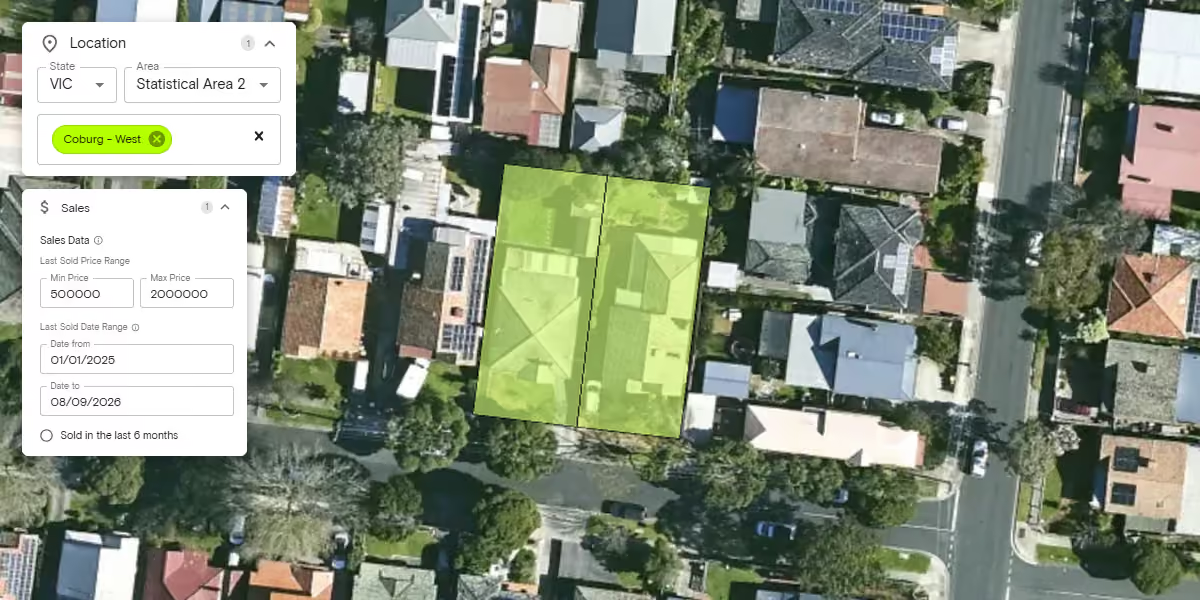
Each software tool in this guide addresses a specific part of your property development workflow. Landchecker supports the site research and due diligence stage, where you can use Site Finder to search for sites that match your needs. Then toggle on planning zones and overlays to assess planning controls and check permits and DAs of nearby properties.
You can then order titles and documents to confirm legal ownership and review current and historical aerial imagery to assess surrounding areas and verify historical land use of the property. Finally, generate property reports for your specific property to share with your client or team members.
After using Landchecker, you can use the other software to proceed with your development process:
Site research (Landchecker) → Feasibility (Feaso, Aprao or Argus EstateMaster) → Design and concept testing (Autodesk Forma or Tandem) → Delivery (Autodesk BIM Collaborate or ProofHub)
Sign up for free to start your site research on Landchecker
Frequently Asked Questions
What software do property developers use in Australia?
Property developers in Australia use a variety of software depending on their needs. Feaso, Aprao and EstateMaster can be used for feasibility assessment. Landchecker can be used for planning and site analysis. Property developers also use project management tools such as ProofHub and BIM Collaborate. They may also use AI design tools like Forma. The right combination depends on the stage of development and the scale of the project.
What is property development feasibility software?
Property development feasibility software models the financial viability of a development by calculating residual land value, forecasting cash flows, running sensitivity analysis and comparing scenarios. Examples include Feaso, Aprao and Argus EstateMaster.
How do I research a development site in Australia?
When researching a development site in Australia, you can start with a planning and property data platform like Landchecker to check zoning, overlays, permits, title information, and aerial imagery. Then assess feasibility using financial modelling software. Each state has its own planning framework, so cross-state data access is important.
What is the difference between property development software and project management software?
Property development software focuses on site research, feasibility analysis and planning compliance. Project management software focuses on coordinating teams, timelines and deliverables during the build phase. Most developers use both types of software.

.png)