Easement data has arrived

You can now view Victorian easement data in Landchecker. Easements show where someone else has the right to cross or use part of a property. Turn them on from the Due Diligence menu to see them on the map, or order a Premium Property Report to get them in your report.
Victorian easement information is now available in the Landchecker map and Premium Property Reports. An easement is the right to cross or otherwise use a portion of someone else’s land.
View easements on the map for greater context
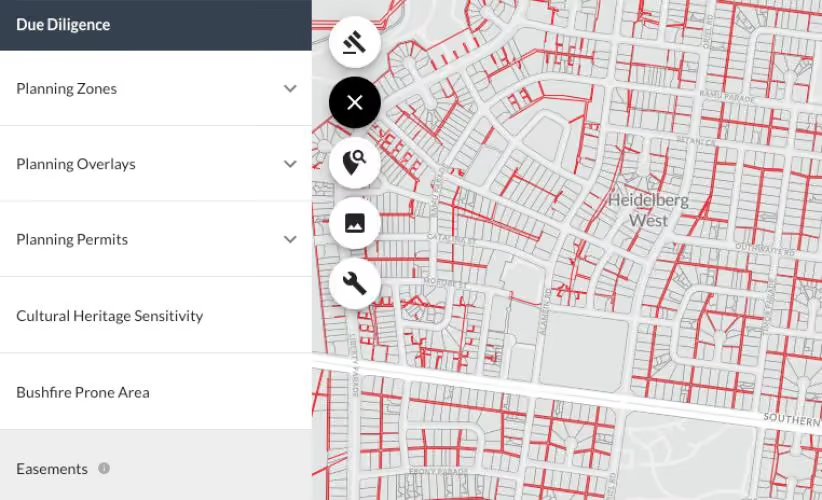
- Open the Due Diligence menu
- Select Easements
- Easements will display on the map
Order a Premium Property Report including easement information
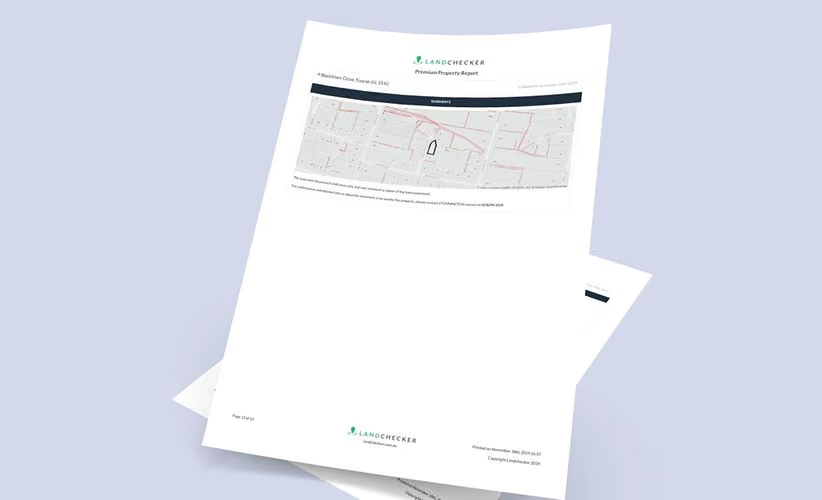
- Enter the address of the property you are interested in
- Relevant property information will be displayed in a panel on the right-hand side of your screen
- Click Property Report, and click Buy Premium
Please note: The easements displayed in Landchecker may only represent a subset of the total easements on the property. To locate all registered easements on a property you should order a copy of the Plan, speak with a professional or contact your local council.
View easements in Landchecker today. www.landchecker.com.au Next Steps: Sign up for free today to discover more at app.landchecker.com.au/join

.png)