
Product Help
How to combine sites using Site Consolidation
Using the site consolidation feature, you can select multiple properties to create a combined site.
You can consolidate neighbouring properties to assess the development potential of a site. You can also select distant properties nationally across Australia if you want to view combined property information.
As you add parcels, you can view the combined site dimensions, land size, frontage, and planning zones for your new site. Then download a consolidated site report.
This feature is available for Advanced and Enterprise customers. If you wish to upgrade, please visit our plans page or request a callback from our team.
Upgrade today to consolidate sites
View the consolidated land size, frontage, orientation and planning zones of your property.
Watch the video or read the steps below for a detailed guide on how to consolidate sites.
1. Search for a property in the address search bar.
2. Click the Consolidate Sites button on the right-hand side panel. You will now enter Consolidate Mode.
3. Select the properties you want to consolidate on the map. The parcel will turn orange, indicating that the property is now part of your consolidated site.
4. If you want to deselect a property, click on it again.
5. Once you’ve finished selecting parcels, click the check button in the top-centre of the map.
The right-hand side panel will display key details about the consolidated site, including:
Combined land size
Combined frontage measurement
Planning zones
Lot/plan details
Orientations
You'll also see options to Save to Project or View Report.
6. When you save your consolidated site, it will display by default on the map whenever you return to it.
Even if you've exited consolidate mode or logged out, your consolidated site will appear automatically when you're back online, making it easy to pick up where you left off.
Customise a Consolidated Site's Fill and Stroke Colour
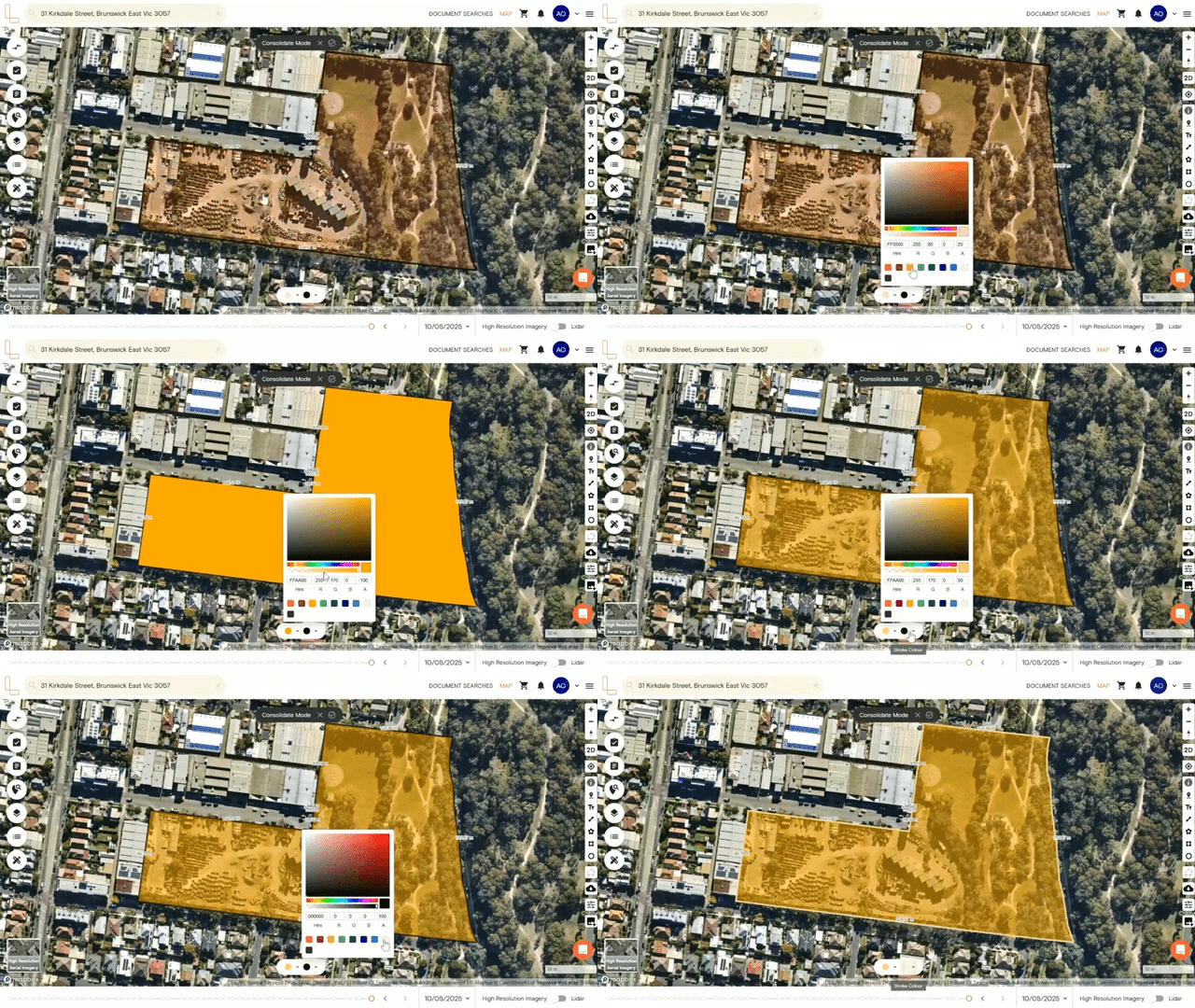
Before confirming your consolidated sites, you can customise the fill and stroke colours of the selected parcels. This lets you visually differentiate your consolidated site on the map.
There are three ways to choose a colour:
Use the opacity tool to choose a custom shade
Enter a specific hex code
Select from the preset standard colours
After selecting a colour, you can adjust the opacity level giving you more control over how prominently your consolidated site appears on the map.
Hide Site Dimensions and Change Unit Measurement
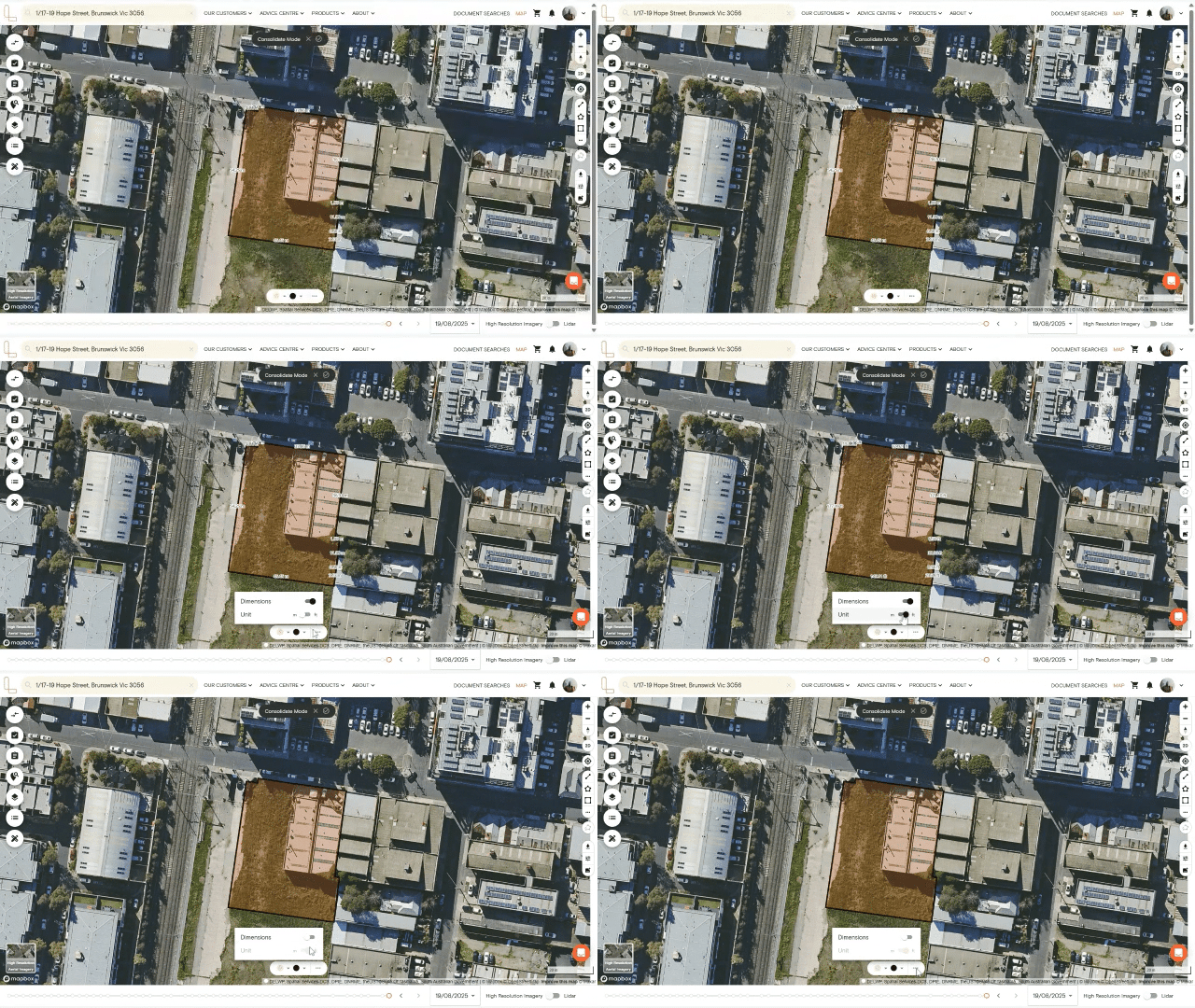
As you add more properties, the site dimensions update to show the measurements of your consolidated site.
1. Click the three-dot button in the action bar to toggle on/off the dimensions.
2. You can also switch the unit of measurement from metres to feet.
Related articles:
How to save consolidated sites to a project
How to download a consolidated report
How to rename or delete consolidated sites saved in a project