
Product Help
Login Verification: Why Am I Being Asked for a Code?
To help keep your account secure, Landchecker now uses login verification. This means that when you sign in from a new device or browser, you’ll be asked to enter a verification code before you can access your account.
What is login verification?
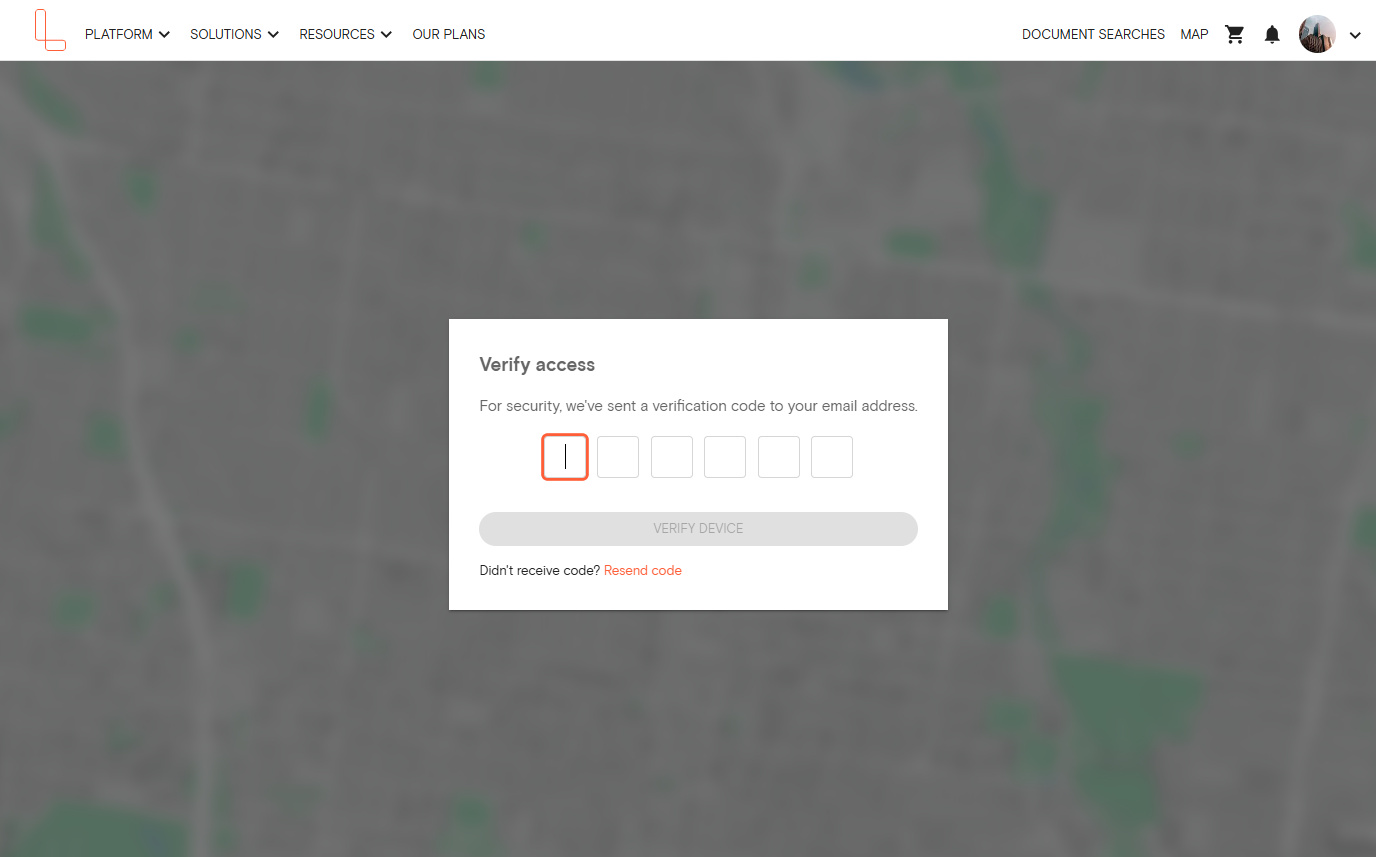
Login verification is an additional security step that confirms it’s really you signing into your account. When you log in from a separate device we don’t recognise, we’ll send a 6-digit verification code to the email address associated with your Landchecker account. You’ll need to enter this code on the login screen to continue.
How does it work?
1. Enter your email and password on the Landchecker login page as usual.
2. If you’re logging in from a second or unrecognised device, you’ll see a prompt asking for a verification code.
3. Check your email inbox for a message from Landchecker containing your 6-digit code.
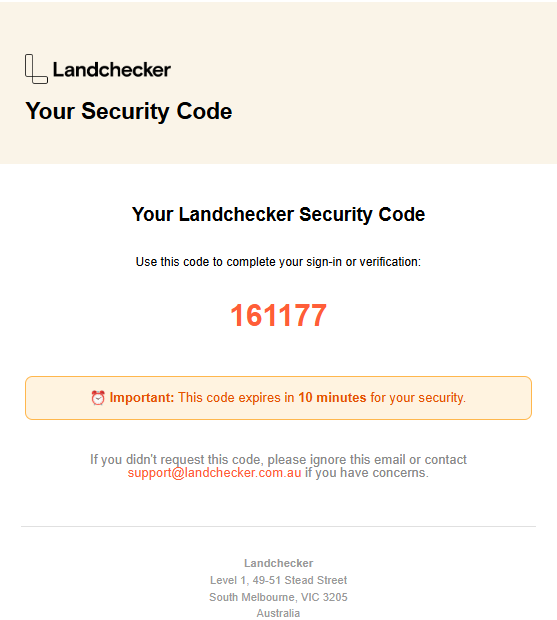
4. Enter the code on the login screen and you’ll be signed in.
Why is this happening?
Your Landchecker account contains valuable property data, saved searches, and account information. Login verification helps ensure that even if someone else obtains your password, they won’t be able to access your account without also having access to your email. This is a standard security practice used across the industry to protect user accounts.
Will I need to do this every time I log in?
No. Once you’ve verified a device, you won’t be asked to verify again on that same device unless you log out, clear your browser cookies or cache, switch to a different browser, or have recently logged in to a separate device. For most users, this is a one-time step on the device used.
I’m not receiving the verification code
If you haven’t received your code, try the following:
1. Check your spam or junk folder. The email may have been filtered automatically.
2. Confirm you’re checking the right inbox. The code is sent to the email address linked to your Landchecker account, which may be different from your personal email.
3. Request a new code. If the code has expired, you can request a fresh one directly from the login screen.
4. Contact support. If you’re still unable to receive a code, reach out to our support team via live chat or email and we’ll help troubleshoot.
My code has expired
Verification codes are valid for a limited time for security reasons. If your code has expired, simply click the option to resend a new code on the login screen. A fresh code will be sent to your email immediately.
Why am I being asked to verify again on the same device?
You may be asked to verify again if:
You’ve cleared your browser cookies or cache
You’re using a different browser (e.g. switching from Chrome to Safari)
You’ve logged out and are logging back in
You’re using a private or incognito browsing window
You’ve been logged out due to your Profile being accessed on a separate device
Need help?
If you have any questions or are experiencing issues with login verification, our support team is here to help. You can reach us via live chat or by emailing support@landchecker.com.au.