
Product Help
How to identify specific lots within multi-lot properties
Identifying individual lots in multi-lot properties can be confusing, especially when you're working with large parcels or complex subdivisions. We've made this easier.
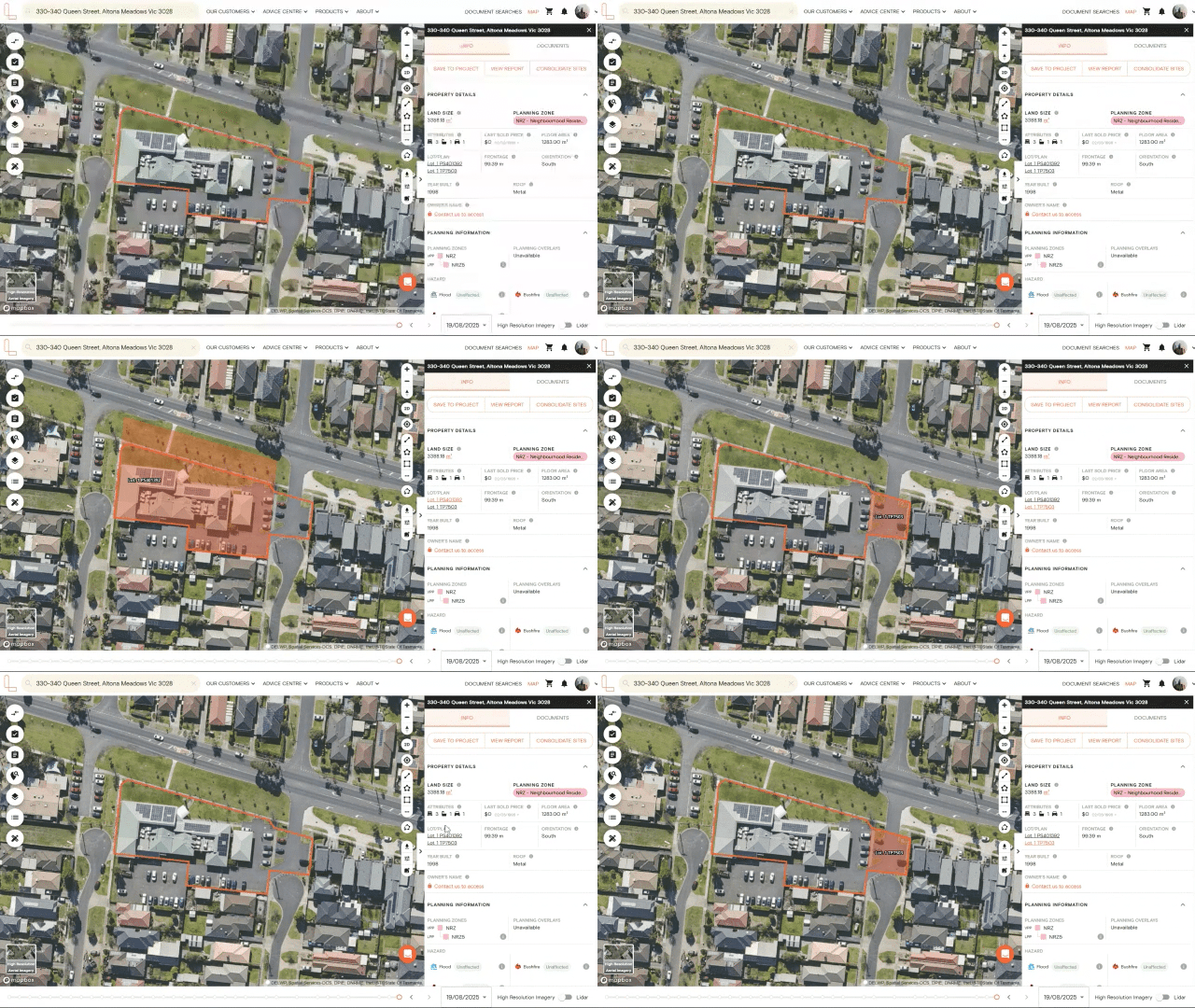
When you search for a property with multiple lots, hover over any lot/plan details in the right-hand information panel.
The corresponding parcel immediately highlights in orange on the map, so you can instantly see exactly which lot you're looking at.
1. Search for a property using the address search bar
2. View the lot/plan details on the right-hand side information panel
3. Hover over the lot/plan details to highlight the property you want to view
If you need the lot boundaries and measurements for your records or to share with clients, you can purchase a copy of plan on the right-hand side Documents Tab or go to the Document Searches page.