
Product Help
How to edit the job reference after ordering documents or certificates
After ordering documents or certificates on Landchecker, you have the option to edit your Job Reference under Order Manager.
1. Click your profile on the top right corner and select Business Account
Order Manager appears as the first tab under Business Account.
2. Use Filters or go to next page to look for the order you want to edit
3. Once you’ve found the order, click View More to proceed to the Order Item Summary page where you can edit the Job Reference.
4. In the Order Item Summary page, click the pencil icon to edit the Job Reference.
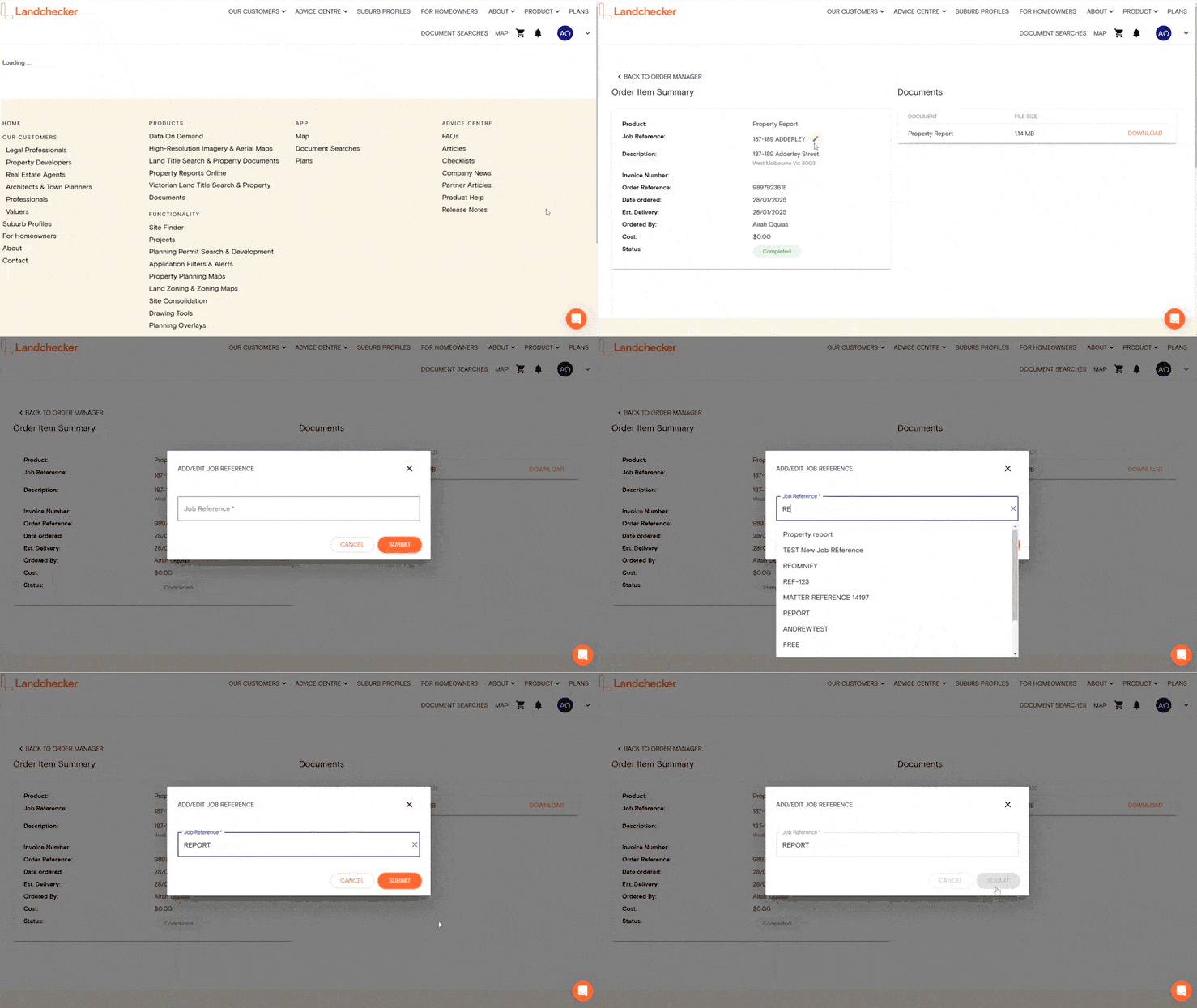
NOTE: Only account admins have permission to edit the job reference. If you placed an order and you don’t have admin permission, you won’t see the pencil icon so please reach out to your account admin to complete this step.
5. Enter your new Job Reference and click Submit to save the changes
Once you’ve completed the above, your new Job Reference will be automatically saved in your Order Manager.