
Product Help
How to compare high-resolution aerial imagery across two capture dates
The Compare tool lets you view high-resolution aerial imagery of a location across two different capture dates. This makes it easy to track how a property or area has changed over time.
By default, the map displays the most recent available capture. With Compare, you can select two different capture dates and use a slider to see what's changed.
Note: To use the Compare tool, high-resolution aerial imagery must be turned on. Properties can not be selected when using this tool.
How to compare high-res aerial imagery in Landchecker
Step 1: Search for your property
Log in to your Landchecker account and search for a property address, or zoom to your area of interest on the map.
Step 2: Turn on high-resolution aerial imagery
Click the square Map Type icon in the bottom left corner of the map. Select High-Resolution Aerial Imagery. If this option is locked, contact your Admin to assign the correct permissions to your account.
Step 3: Click the Compare button
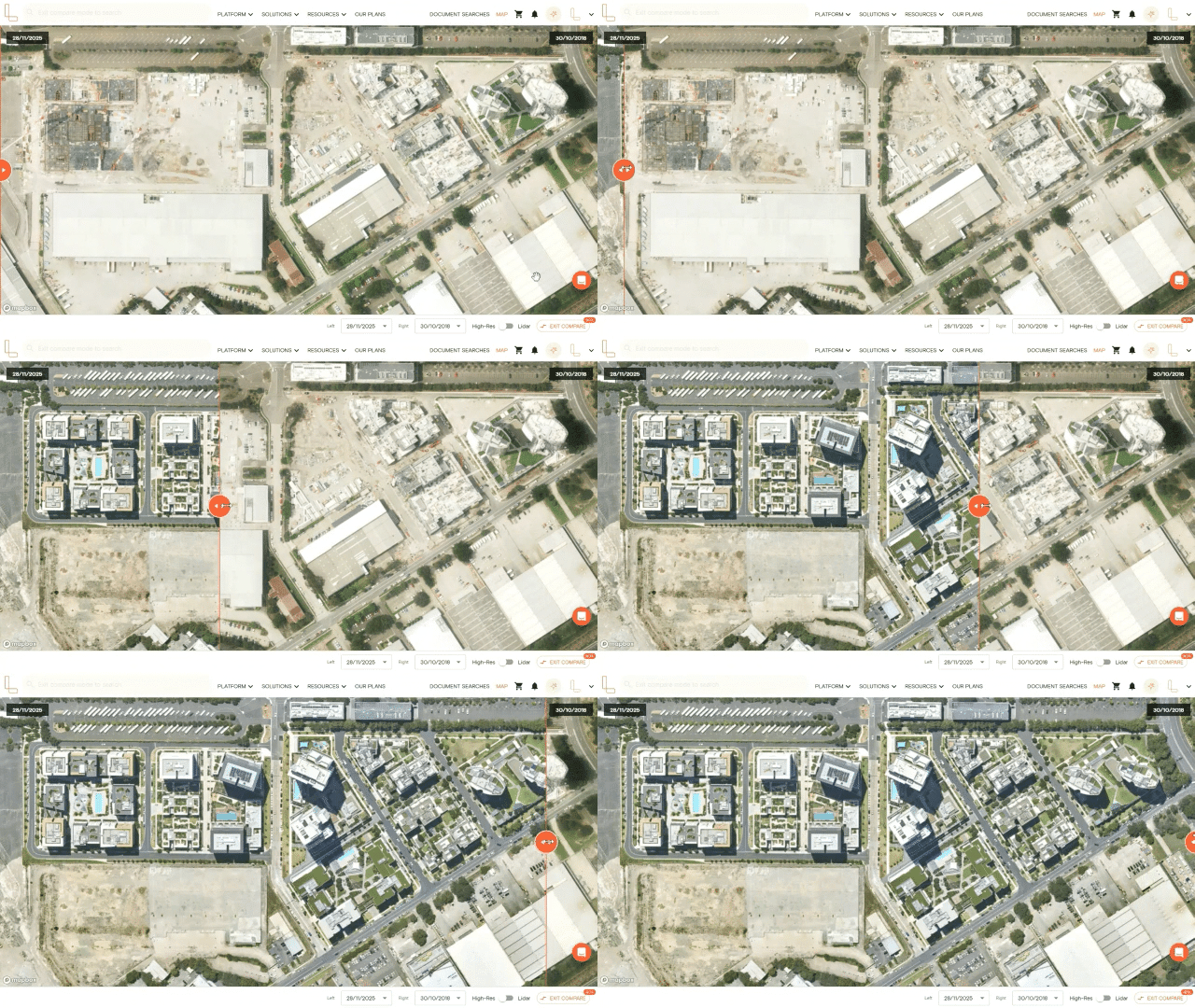
Click the Compare button in the bottom right corner of the map. A slider will appear, allowing you to move between two different capture dates.
Step 4: Select your capture dates
Use the date dropdowns at the bottom to select the capture dates you want to compare. You can choose any two dates from the available imagery archive.
Step 5: Use the slider to compare changes
Drag the slider left or right across the map to reveal how the property or area looked on each selected date. This is a great way to identify changes to a site over time, such as construction progress, vegetation changes or new development.
The Compare tool is available to members on Advanced and Enterprise plans. If you're on the Starter or Standard plan and would like access, visit our plans page or get in touch via the live in-app chat on the platform to upgrade.